

Betting Guides
Paripesa Account: Registration, Verification, and Management Guide
Learn how to set up your Paripesa account, complete KYC verification, manage funds, and troubleshoot common issues.

Sports Betting Analyst & Football Predictions Expert
Brian Otieno is a Kenyan sports betting analyst with over 10 years of experience in football predictions, match analysis, and betting strategies. He specializes in European football leagues, statistical analysis, odds comparison, and identifying value betting opportunities. His approach combines data-driven insights, team performance research, and disciplined bankroll management to help sports enthusiasts make more informed betting decisions.
Setting up a Paripesa account takes a few minutes, but understanding the full range of account features, verification requirements, and management tools can save you significant time later. This guide covers everything from initial registration through advanced account settings, including the demo mode, bet slip tracking, and what happens if you decide to close your account.
Contents
- 1. Creating Your Paripesa Account
- 2. Account Verification and KYC Requirements
- 3. Login Methods and Security Features
- 4. Managing Personal Information and Settings
- 5. Deposit and Withdrawal Account Setup
- 6. Demo Account and Practice Mode
- 7. Bet Slip Management and History
- 8. Account Closure and Deletion Process
- 9. Troubleshooting Common Account Issues
- 10. VIP Program and Loyalty Benefits
- 11. Mobile App Account Features
- 12. Final Assessment of Paripesa Account Management
Paripesa operates under a Curacao license and serves customers across dozens of countries in Africa, Asia, Latin America, and parts of Europe. The platform combines sports betting, casino games, live dealer tables, virtual sports, and esports under a single account. Once registered, you use the same credentials across desktop, mobile web, and the dedicated Android and iOS apps.
Creating Your Paripesa Account
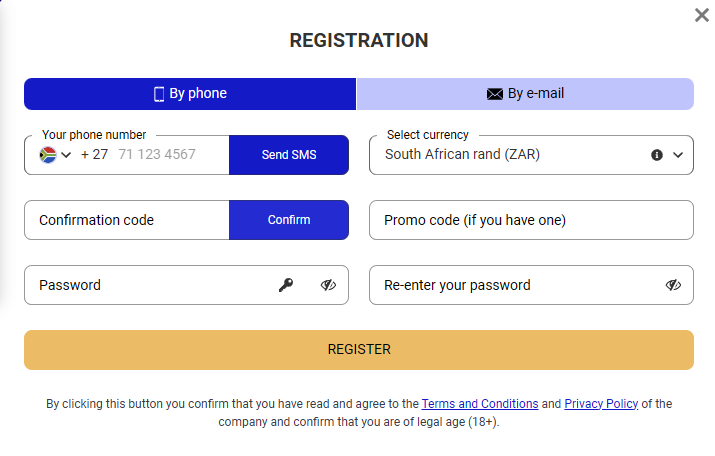
Registration offers four methods: one-click, by phone, by email, or through social networks and messaging apps. The one-click option generates a username and password automatically — you only select your country and currency. Phone registration sends an SMS code. Email registration requires a confirmation link. Social options include Google, Telegram, and several regional platforms depending on your location.
During signup you choose a primary account currency. This cannot be changed later without contacting support, so pick the currency you plan to deposit and withdraw in most often. Popular options include USD, EUR, INR, NGN, KES, BDT, PKR, BRL, and various cryptocurrencies. The welcome bonus — typically a matched deposit up to a certain amount — applies automatically on your first deposit if you opt in during registration or in the bonus section afterward.
After submitting the form, you receive a user ID (numeric) and either a generated password or the one you created. Save these immediately. The platform does not display the password again. If you used one-click registration, consider changing the password to something memorable in the security settings once logged in.
Account Verification and KYC Requirements
Paripesa follows standard Know Your Customer procedures. Verification is not required to deposit or place bets, but it becomes mandatory before your first withdrawal. The process typically takes a few hours to 24 hours once documents are submitted.
You need to provide a government-issued photo ID (passport, national ID card, or driver's license) and proof of address (utility bill, bank statement, or official letter dated within the last three months). The address document must show your full name and residential address matching the account details. For crypto deposits, a wallet screenshot showing the transaction may be requested.
- Color scan or clear photo of ID document — all four corners visible
- Proof of address issued within 90 days — utility bill, bank statement, or government letter
- Selfie with ID held next to face — sometimes requested for additional verification
- Source of funds declaration — for large deposits or withdrawals above certain thresholds
- Payment method verification — screenshot of e-wallet or bank card (with middle digits masked)
Documents upload through the account verification section in your personal cabinet. The status shows as pending, approved, or rejected with a reason. Rejections usually stem from blurry images, mismatched names, or expired documents. You can resubmit corrected files without limit.
Most users complete verification on the first attempt if they read the requirements carefully. The common mistake is uploading a phone bill older than three months.
Login Methods and Security Features
You can log in with your user ID or registered email/phone plus password. Two-factor authentication (2FA) is available via Google Authenticator or SMS codes. Enabling 2FA adds a meaningful layer of protection, especially if you access the account from shared or public devices.
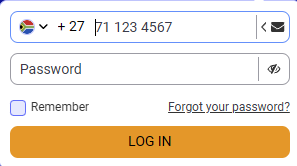
The platform also supports login via Telegram bot and one-time codes sent to email or phone. These alternatives help if you lose access to your primary 2FA method. Session management shows active devices and locations — you can revoke individual sessions or all except the current one. Password reset works through email or SMS with a time-limited link.
Managing Personal Information and Settings
The personal cabinet divides settings into profile, security, notifications, and preferences. Profile holds your name, date of birth, contact details, and address. Most fields lock after verification — changes require re-verification. Email and phone can be updated with confirmation codes sent to both old and new contacts.
Notification settings control email, SMS, and push alerts for bets, results, promotions, and security events. You can disable marketing messages while keeping transactional alerts. Language and time zone preferences apply across the platform. Odds format (decimal, fractional, American, Hong Kong, Indonesian, Malaysian) is a per-user setting.
Scroll horizontally to see all columns
| Field | Editable After Verification |
|---|---|
| Full name | No — requires re-verification |
| Date of birth | No — requires re-verification |
| Email address | Yes — with dual confirmation |
| Phone number | Yes — with dual confirmation |
| Residential address | No — requires new proof of address |
| Account currency | No — contact support only |
| Preferred odds format | Yes — anytime |
| Time zone | Yes — anytime |
Deposit and Withdrawal Account Setup
Before funding your account, check the deposit methods available in your country. The cashier shows only options valid for your registered location. Common categories include bank cards (Visa, Mastercard), e-wallets (Skrill, Neteller, ecoPayz, Perfect Money, Jeton), mobile money (M-Pesa, Airtel Money, MTN MoMo, UPI, Paytm, Pix), bank transfer, and cryptocurrencies (BTC, USDT, ETH, LTC, DOGE, TRX, and others).
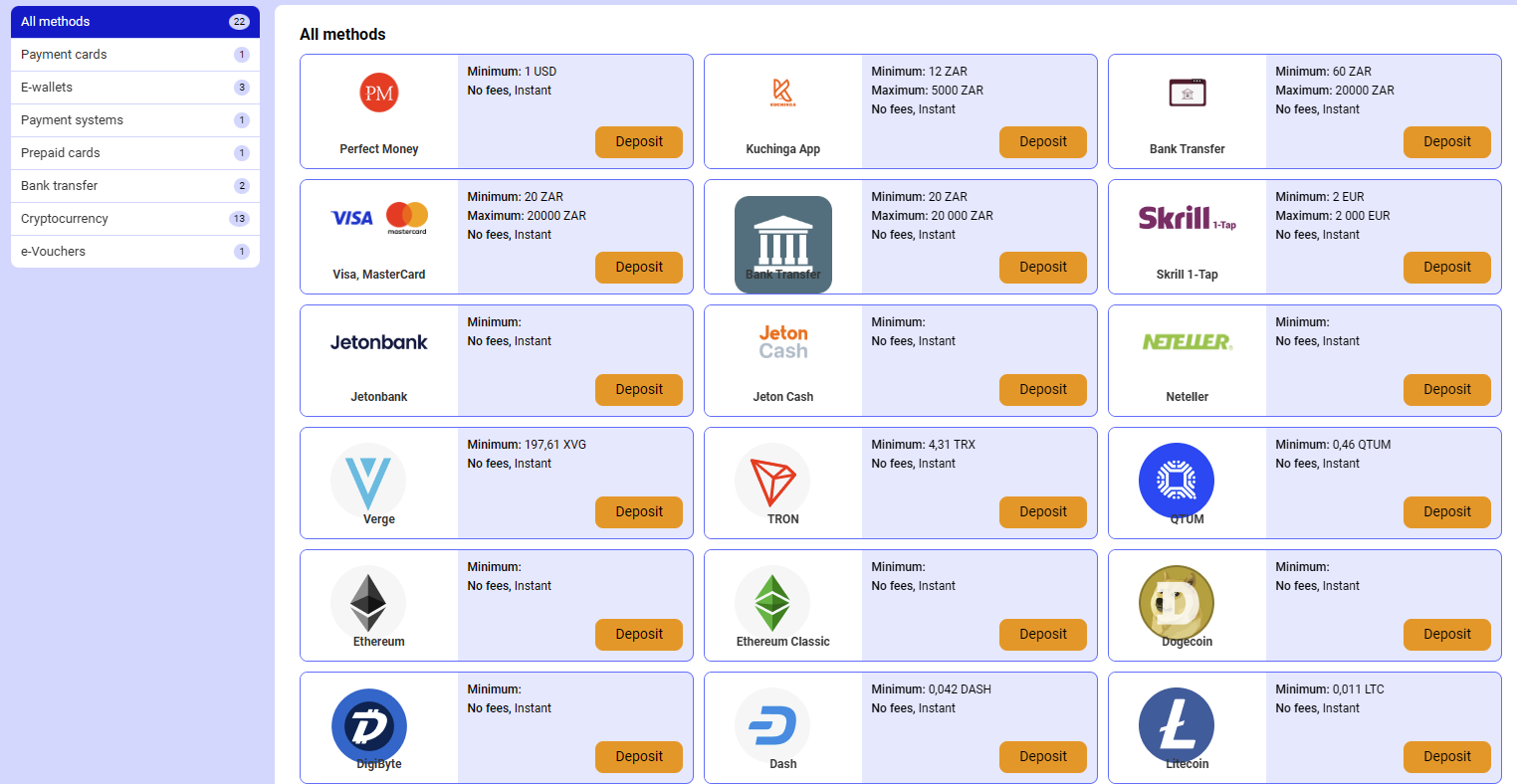
Minimum deposits start around $1 or equivalent for most methods. Cryptocurrency deposits have no minimum but require network confirmations. Maximum limits depend on the payment provider, not Paripesa. Withdrawals use the same method as the deposit where possible (closed-loop policy). If the deposit method doesn't support withdrawals, you choose an alternative after verification.
- Card deposits: instant, withdrawals to same card in 1-3 business days
- E-wallets: instant both ways, often lowest minimums
- Mobile money: instant deposits, withdrawals within minutes to hours
- Bank transfer: 1-5 business days both directions, higher minimums
- Crypto: deposit after 1-6 confirmations, withdrawal within 1 hour after approval
Demo Account and Practice Mode
Paripesa offers a demo mode for most casino games — slots, table games, and some instant games like Aviator. Sports betting and live dealer games do not have a demo version. The demo mode uses virtual currency with no real value. You access it by hovering over a game and selecting "Demo" instead of "Play." No separate registration is needed; your main account credentials work.
Demo balances reset when you refresh or reopen the game. There is no way to convert demo funds to real money or vice versa. The purpose is learning game mechanics, testing strategies, or checking RTP behavior without risk. Some providers restrict demo access in certain jurisdictions due to local regulations.
Bet Slip Management and History
The bet slip sits on the right side of the sportsbook (bottom on mobile). It supports single, accumulator, system, and chain bets. You can add selections from different sports and markets. The slip shows potential payout, allows stake entry per bet or total, and includes options for auto-accept odds changes and one-click betting (if enabled in settings).
After placing a bet, it appears in bet history with status: pending, won, lost, void, or settled. The history filters by date range, bet type, sport, and status. Each entry expands to show selection details, odds at placement, stake, potential return, and settlement time. Cash out availability displays next to eligible bets — partial cash out lets you take a portion while leaving the rest active.
Scroll horizontally to see all columns
| Filter | Options |
|---|---|
| Date range | Today, yesterday, last 7 days, last 30 days, custom |
| Bet type | Single, accumulator, system, chain, all |
| Sport | Individual sports or all sports |
| Status | Pending, won, lost, void, settled, all |
| Cash out | Available, used, not available, all |
Account Closure and Deletion Process
If you want to close your Paripesa account, you have two main paths: self-exclusion (temporary or permanent) or account deletion. Self-exclusion blocks access for a chosen period (1 month, 3 months, 6 months, 1 year, or permanent) and is managed through responsible gambling settings. Account deletion permanently removes your data and cannot be reversed.
To delete an account, contact customer support via live chat or email. They will verify your identity, confirm no pending withdrawals or active bets, and process the request. The process typically takes 24-48 hours. Note that regulatory requirements may require Paripesa to retain certain transaction records for several years even after account deletion.
- Withdraw all funds before requesting closure — remaining balance may be forfeited
- Settle all pending bets — open bets at closure time may be voided
- Download bet history and transaction records for your records
- Unlink any connected payment methods if possible
- Confirm you understand the action is irreversible
Self-exclusion is the better choice if you might return later. Deletion burns the bridge completely — you cannot recover the account, history, or any loyalty status.
Troubleshooting Common Account Issues
Login failures usually stem from incorrect credentials, expired 2FA codes, or IP blocks. Clear browser cache, try a different browser or device, and ensure your clock is synchronized (critical for Google Authenticator). If the account is locked after multiple failed attempts, wait 15-30 minutes or contact support.
Deposit not credited? Check the transaction status in your payment provider first. Crypto deposits need confirmations — check the blockchain explorer with the transaction hash. E-wallet and card deposits are usually instant; if delayed beyond 30 minutes, contact support with the payment receipt. Withdrawal delays often trace to incomplete verification or provider processing times.
VIP Program and Loyalty Benefits
Paripesa runs a multi-tier VIP program based on betting volume and casino play. Tiers typically range from Copper to Diamond (names vary by region). Higher tiers unlock increased cashback percentages, personal account managers, higher withdrawal limits, exclusive bonuses, and faster withdrawal processing. Progress tracks automatically — you see your current tier and requirements for the next level in the VIP section.

Cashback calculates on net losses over a period (usually weekly) and credits automatically. The percentage scales with tier — entry levels might get 3-5%, top tiers 10% or more. Some regions offer a separate casino VIP cashback and sports VIP cashback. Terms include wagering requirements (often 1x) and maximum cashback caps per period.
Scroll horizontally to see all columns
| Benefit | Entry Tier | Mid Tier | Top Tier |
|---|---|---|---|
| Cashback rate | 3-5% | 6-8% | 10%+ |
| Personal manager | No | Shared | Dedicated |
| Withdrawal priority | Standard | Faster | Highest |
| Exclusive bonuses | None | Monthly | Weekly + custom |
| Max withdrawal limit | Standard | Increased | Highest / custom |
Mobile App Account Features
The Android app (APK download from the site) and iOS app (App Store in supported regions, otherwise web clip) mirror the desktop account fully. You log in with the same credentials. Biometric login (fingerprint, Face ID) is supported on compatible devices. Push notifications cover bet results, promotions, and security alerts — configurable per category.
The app includes a few mobile-only conveniences: shake-to-bet (quick accumulator from favorites), one-click bet widget on home screen (Android), and offline bet slip drafting (syncs when connection returns). Account settings, verification uploads, deposits, and withdrawals work identically to the web version. The app size is roughly 60-80 MB depending on platform.
Final Assessment of Paripesa Account Management
Paripesa's account system is functional and covers the essentials well. Registration is flexible with multiple entry points. Verification is standard but mandatory before withdrawals — plan for it early. Security tools (2FA, session management, login alerts) are solid if you enable them. The demo mode helps with casino games but doesn't exist for sports. Bet history and cash out work reliably. Account closure is straightforward but permanent — self-exclusion is the safer default if you're unsure.
The VIP program rewards volume players meaningfully, though casual users won't reach higher tiers. Mobile apps match desktop capabilities with a few nice extras. The main friction points are the locked currency choice at registration and the closed-loop withdrawal policy, which can complicate things if your deposit method doesn't support payouts. Overall, the account infrastructure supports the product adequately without standout innovation.
Frequently Asked Questions
Can I change my account currency after registration?
No, the account currency is set during registration and cannot be changed in the user interface. You must contact customer support to request a change, which may require re-verification and could affect active bonuses.
How long does Paripesa verification take?
Verification typically completes within a few hours to 24 hours after submitting clear, valid documents. Delays occur if images are blurry, documents are expired, or details don't match your account information.
Is there a demo account for sports betting?
No. Demo mode is only available for most casino games (slots, table games, some instant games). Sports betting, live casino, virtual sports, and esports require real-money bets.
What happens to my money if I delete my account?
You must withdraw all funds before requesting account deletion. Any remaining balance at the time of closure may be forfeited. Process withdrawals first, then contact support for deletion.
Can I have multiple Paripesa accounts?
No. The terms of service allow one account per person, household, IP address, and device. Multiple accounts will be detected and closed, with funds potentially confiscated.
How do I enable two-factor authentication?
Go to Account Settings > Security > Two-Factor Authentication. Choose Google Authenticator (recommended) or SMS. Scan the QR code with your authenticator app and enter the 6-digit code to confirm.
Why is my withdrawal pending for more than 24 hours?
Common reasons: incomplete verification, closed-loop policy requiring withdrawal to the original deposit method, provider processing delays, or security review for large amounts. Check verification status first, then contact support with the withdrawal ID.
Does Paripesa offer a loyalty program for regular players?
Yes, a multi-tier VIP program tracks betting and casino volume. Higher tiers provide increased cashback, personal managers, faster withdrawals, exclusive bonuses, and higher limits. Progress is automatic and visible in the VIP section.