

Betting Payment Methods
Paripesa M-Pesa Deposits and Withdrawals Guide
Step-by-step instructions, limits, fees, and troubleshooting for Paripesa M-Pesa transactions.

Sports Betting Analyst & Football Predictions Expert
Brian Otieno is a Kenyan sports betting analyst with over 10 years of experience in football predictions, match analysis, and betting strategies. He specializes in European football leagues, statistical analysis, odds comparison, and identifying value betting opportunities. His approach combines data-driven insights, team performance research, and disciplined bankroll management to help sports enthusiasts make more informed betting decisions.
Paripesa has integrated M-Pesa as a primary payment method for customers in Kenya and Tanzania, making it one of the most accessible betting platforms in East Africa. The integration works directly through the Safaricom and Vodacom networks, allowing users to fund accounts and withdraw winnings without needing a bank card or third-party wallet. This guide covers the complete process from first deposit to withdrawal, including limits, processing times, and common issues.
Contents
- 1. How to Deposit with M-Pesa on Paripesa Kenya
- 2. How to Deposit with M-Pesa on Paripesa Tanzania
- 3. Withdrawing Winnings to M-Pesa
- 4. Account Verification and KYC Requirements
- 5. Common M-Pesa Deposit Problems and Fixes
- 6. Withdrawal Delays and How to Resolve Them
- 7. Using the Paripesa Mobile App for M-Pesa Transactions
- 8. M-Pesa vs Other Payment Methods on Paripesa
- 9. Bonuses and Promotions with M-Pesa Deposits
- 10. Security Best Practices for M-Pesa Betting
- 11. Troubleshooting Checklist for Failed Transactions
- 12. Paripesa M-Pesa for Tanzanian Users: Key Differences
- 13. Final Assessment of Paripesa M-Pesa Integration
M-Pesa remains the dominant mobile money service across Kenya and Tanzania, with over 50 million active users combined. Paripesa's decision to support it natively — rather than routing through payment aggregators — means fewer failure points and faster settlement. The platform accepts both paybill and till number flows depending on the country, and the steps differ slightly between the Kenyan and Tanzanian implementations.
Before starting, verify that your M-Pesa line is registered in your name and has sufficient balance for the intended transaction plus any network charges. Paripesa requires the registered account holder name to match the betting account name for anti-money-laundering compliance. Mismatched names are the single most common reason for rejected deposits or delayed withdrawals.
How to Deposit with M-Pesa on Paripesa Kenya
Kenyan users deposit through the Safaricom M-Pesa paybill number 222222. The process takes under two minutes once you know the steps. Log into your Paripesa account, navigate to the deposit section, and select M-Pesa from the list of payment methods. Enter the amount you wish to deposit — minimum 100 KES, maximum 70,000 KES per transaction — and confirm. The platform generates a unique reference code that you must include in the M-Pesa payment.
- Open the M-Pesa menu on your phone (SIM toolkit or *334#)
- Select Lipa na M-Pesa then Pay Bill
- Enter business number 222222
- Enter the reference code shown on Paripesa as the account number
- Enter the deposit amount
- Enter your M-Pesa PIN to authorize
- Wait for the confirmation SMS from Safaricom
- Return to Paripesa — funds usually reflect within 60 seconds
The reference code is critical. It links the payment to your specific Paripesa account. If you enter an incorrect code, the money still leaves your M-Pesa wallet but Paripesa cannot automatically credit it. In that case, contact support with the M-Pesa transaction ID from the confirmation SMS. Resolution typically takes a few hours during business hours but can stretch to 24 hours on weekends.
How to Deposit with M-Pesa on Paripesa Tanzania
Tanzanian users work with Vodacom M-Pesa using a till number rather than a paybill. The till number is 744444. The flow is similar but the USSD menu labels differ slightly. After selecting M-Pesa in the Paripesa deposit page and entering your amount (minimum 1,000 TZS, maximum 3,000,000 TZS per transaction), you receive a reference code. That code goes into the reference field when making the payment.
- Dial *150*00# or use the M-Pesa app
- Select Send Money
- Enter till number 744444
- Enter the Paripesa reference code as the reference
- Enter the deposit amount
- Enter your M-Pesa PIN
- Confirm and wait for the Vodacom confirmation SMS
- Check Paripesa balance — credit is usually instant
Vodacom Tanzania applies a small transaction fee on the sender side, typically 1–2% depending on amount. Paripesa does not add its own fee. The fee is deducted from your M-Pesa balance, not from the deposit amount credited to your betting account. For example, depositing 100,000 TZS might cost you 101,500 TZS from M-Pesa, but Paripesa credits the full 100,000 TZS.
Tanzania's higher per-transaction limit (3,000,000 TZS) reflects the lower currency value. Daily M-Pesa limits still apply — typically 3,000,000 TZS for fully verified accounts. If you need to deposit more, bank transfer or crypto options on Paripesa handle larger volumes without daily caps.
Withdrawing Winnings to M-Pesa
Withdrawals follow a similar but reversed flow. In your Paripesa account, go to the withdrawal section, select M-Pesa, enter the amount, and confirm. The platform processes the request and sends the funds to the M-Pesa number registered on your account. You cannot withdraw to a different phone number — this is a security measure enforced by both Paripesa and the mobile operators.
- Log in and open the withdrawal page
- Choose M-Pesa as the withdrawal method
- Enter amount (minimum 200 KES / 2,000 TZS)
- Confirm the registered M-Pesa number is correct
- Submit the request
- Wait for Paripesa processing (usually 5–30 minutes)
- Receive M-Pesa confirmation SMS
- Check your M-Pesa balance
Processing time varies. Most withdrawals complete within 30 minutes during business hours. Requests submitted late at night or on weekends may take longer — occasionally up to 4 hours. Paripesa batches withdrawals to the mobile operators in cycles. If your withdrawal shows as "processed" on Paripesa but the SMS hasn't arrived, wait at least two hours before contacting support.
Account Verification and KYC Requirements
Paripesa requires identity verification before the first withdrawal, and sometimes before large deposits. The standard KYC documents are a government-issued ID (national ID, passport, or driver's license) and a selfie holding the ID. For M-Pesa users, the name on the ID must match the name registered on the M-Pesa line. This is non-negotiable — the mobile operators enforce it at the network level.
Verification usually completes within 24 hours. During high-traffic periods (major football tournaments, weekends) it can take up to 48 hours. You can deposit and bet while verification is pending, but withdrawals remain blocked until approval. The verification status appears in your personal account section. If rejected, the reason is typically a blurry document image or a name mismatch.
Scroll horizontally to see all columns
| Document | Kenya | Tanzania | Notes |
|---|---|---|---|
| National ID | Accepted | Accepted | Front and back photos |
| Passport | Accepted | Accepted | Photo page only |
| Driver's License | Accepted | Accepted | Must be current |
| Selfie with ID | Required | Required | Face and ID clearly visible |
| Proof of Address | Sometimes | Sometimes | Utility bill or bank statement |
Proof of address is not always requested but may be triggered for accounts with high transaction volumes or when the IP location differs significantly from the registered country. A utility bill or bank statement from the last three months suffices. The address on the document should match the residential address in your Paripesa profile.
Common M-Pesa Deposit Problems and Fixes
Most deposit issues fall into a handful of categories. The reference code error is number one. The second is insufficient M-Pesa balance after accounting for network fees. The third is hitting the daily transaction limit. The fourth is attempting to deposit from an M-Pesa line registered to a different person.
- Wrong reference code: Contact support with M-Pesa transaction ID
- Insufficient balance: Check M-Pesa balance includes network fees
- Daily limit reached: Wait until midnight or use bank transfer
- Name mismatch: Only deposit from your own registered line
- Transaction timeout: Retry after 5 minutes; do not duplicate
- Network outage: Check Safaricom/Vodacom status pages
If a deposit shows as completed on M-Pesa but not on Paripesa after 30 minutes, do not make a second deposit. Duplicate payments create reconciliation delays. Instead, take a screenshot of the M-Pesa confirmation SMS and send it to Paripesa support via live chat or email. Include your Paripesa username and the transaction ID. Support can manually credit the account once they verify the payment on their merchant portal.
The reference code is the only link between your M-Pesa payment and your Paripesa account. Treat it like a password — copy it exactly, do not share it, and do not guess if you lose it.
Withdrawal Delays and How to Resolve Them
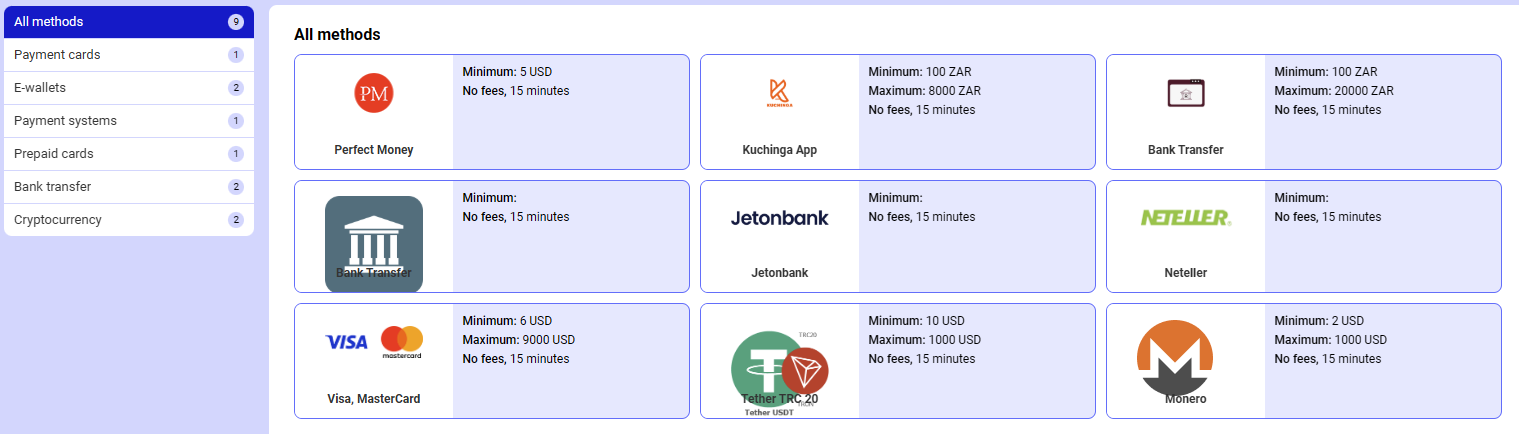
Withdrawal delays are less common than deposit issues but more frustrating because the money has left Paripesa. The usual causes are mobile operator processing queues, incorrect registered phone number, or KYC not yet approved. Paripesa shows withdrawal status as "pending," "processing," or "completed." Only "completed" means the funds have been handed off to Safaricom or Vodacom.
- Status "pending": Paripesa has not yet processed — wait or contact support
- Status "processing": In the operator queue — usually resolves within 30 minutes
- Status "completed" but no SMS: Operator delivered but SMS delayed — check M-Pesa balance directly
- Wrong phone number: Update in account settings, then re-request withdrawal
- KYC pending: Complete verification before requesting withdrawal
If the status shows "completed" for over 4 hours with no SMS and no balance increase, contact Paripesa support with the withdrawal ID. They can trace the transaction with the mobile operator. In rare cases, the operator rejects the payout (for example, if the M-Pesa account is frozen or dormant). Paripesa then returns the funds to your betting balance and notifies you.
Dormant M-Pesa accounts are a real issue. If you haven't used your line for 90+ days, Safaricom or Vodacom may restrict incoming transactions. Reactivate by making any transaction (airtime purchase, balance check) before requesting a withdrawal from Paripesa.
Using the Paripesa Mobile App for M-Pesa Transactions
The Paripesa Android and iOS apps streamline M-Pesa deposits and withdrawals. The app stores your preferred payment method and pre-fills the reference code for deposits, reducing copy-paste errors. It also sends push notifications when a withdrawal status changes, so you don't need to keep checking the website.
- Download from Paripesa website (Android APK) or App Store (iOS)
- Log in and go to Payment Methods in settings
- Set M-Pesa as default deposit and withdrawal method
- Enable push notifications for transaction updates
- Use Face ID or fingerprint for faster login
The Android APK must be downloaded from the official Paripesa site — it is not on Google Play due to gambling policy restrictions. Enable "Install from unknown sources" temporarily, install the APK, then disable the setting again. The iOS app is available on the App Store in supported regions. Both apps receive updates every few weeks; keep them current for the latest payment flow improvements.
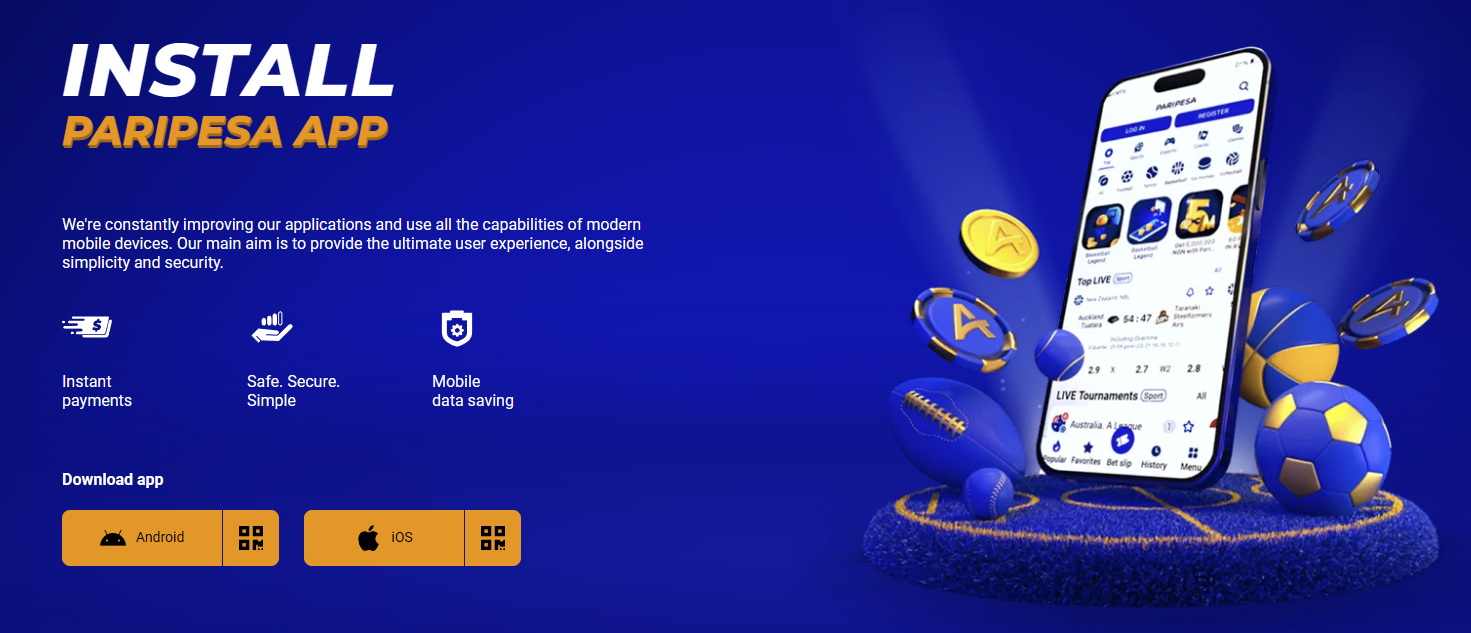
The mobile website works fine if you prefer not to install the app. It has the same M-Pesa flows and is optimized for small screens. The main advantage of the app is push notifications and slightly faster navigation since assets are cached locally.
M-Pesa vs Other Payment Methods on Paripesa
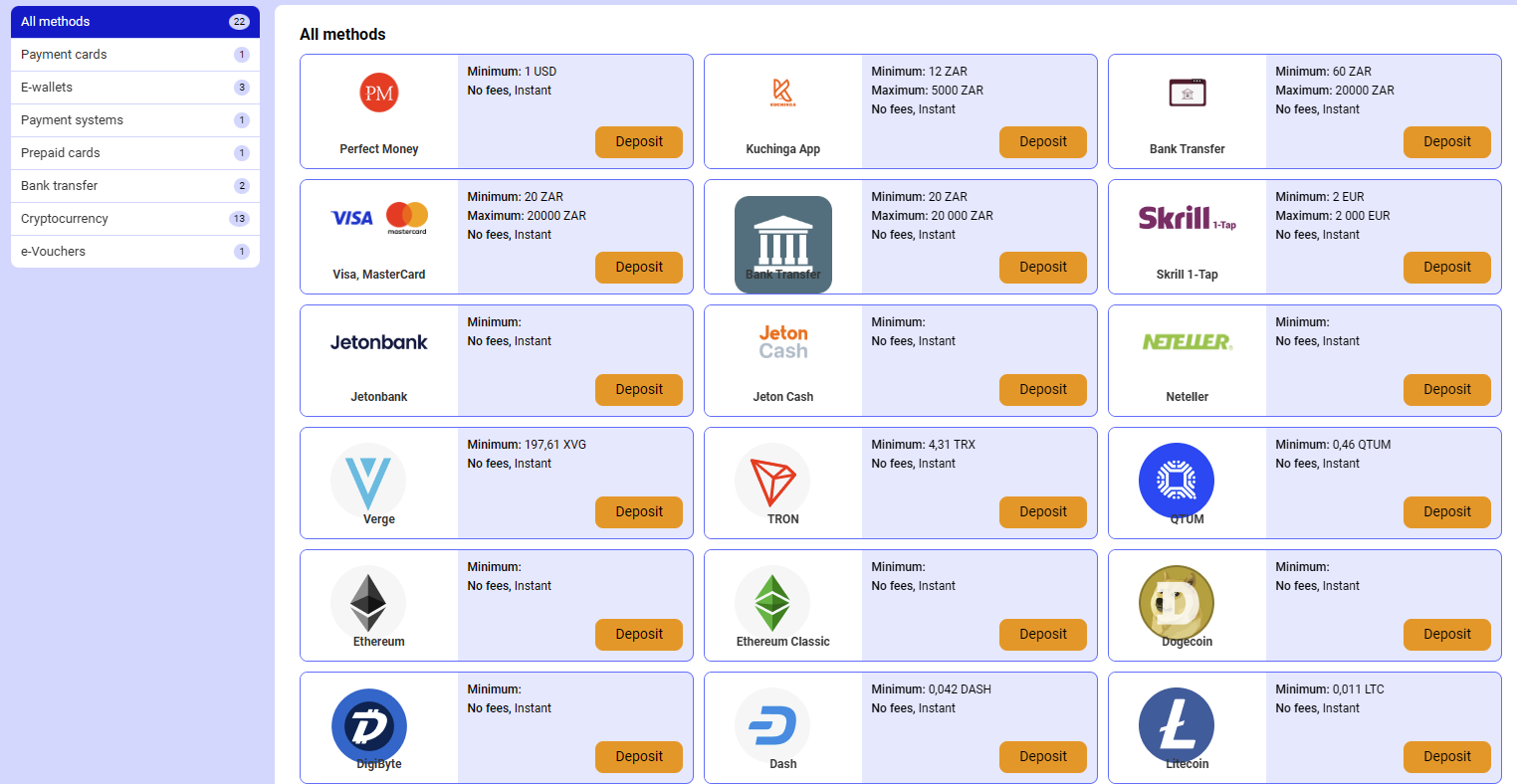
Paripesa supports over 40 payment methods in Kenya and Tanzania, including Airtel Money, Tigo Pesa, bank cards, bank transfers, and cryptocurrencies. M-Pesa remains the most popular for several reasons: ubiquity, instant credit, no need for a bank account, and familiarity. However, it has lower per-transaction limits than bank transfer or crypto.
Scroll horizontally to see all columns
| Method | Min Deposit | Max Deposit | Speed | Fees |
|---|---|---|---|---|
| M-Pesa | 100 KES | 70,000 KES | Instant | None |
| Airtel Money | 100 KES | 70,000 KES | Instant | None |
| Bank Card | 200 KES | 500,000 KES | Instant | Possible bank fee |
| Bank Transfer | 500 KES | No limit | 1–24 hours | Bank dependent |
| Bitcoin | 1,000 KES equiv | No limit | 10–60 min | Network fee |
Airtel Money is the closest alternative and works identically. If you have both lines, use whichever has better signal or lower fees at the moment. Bank cards allow larger single deposits but some Kenyan banks block gambling transactions. Crypto has no upper limit and works 24/7 but requires wallet knowledge and network fees.
Bonuses and Promotions with M-Pesa Deposits
Paripesa's welcome bonus and most recurring promotions are available regardless of payment method. M-Pesa deposits qualify for the 100% first deposit bonus up to the advertised maximum (varies by country, typically around 15,000 KES or 300,000 TZS). The bonus code, if required, is entered during registration or on the deposit page before confirming the M-Pesa payment.
- Welcome bonus: 100% match on first deposit
- Minimum deposit to trigger: 100 KES / 1,000 TZS
- Wagering requirements apply (typically 5x accumulator bets)
- No payment-method-specific bonuses for M-Pesa
- Promo code store allows exchanging points for free bets
Some bookmakers exclude e-wallets like Skrill or Neteller from bonuses. Paripesa does not exclude M-Pesa. However, always read the specific promotion terms — occasionally a campaign may require a minimum odds threshold or bet type that doesn't suit your style. The bonus funds are separate from your cash balance and must be wagered before withdrawal.
The promo code store (accessible from the promotions page) lets you exchange loyalty points for free bets, free spins, or bonus codes. Points accumulate from real-money bets regardless of deposit method. M-Pesa users participate on equal terms.
Security Best Practices for M-Pesa Betting
M-Pesa itself is secure — transactions require your PIN and are encrypted end-to-end. The risks come from phishing, social engineering, and poor account hygiene. Never share your M-Pesa PIN with anyone, including people claiming to be Paripesa support. Paripesa never asks for your PIN. The reference code is safe to share with support when resolving a failed deposit, but treat it like a one-time password.
- Never share M-Pesa PIN — not with support, not with family
- Enable two-factor authentication on Paripesa (SMS or Google Authenticator)
- Use a strong, unique password for Paripesa
- Log out on shared devices
- Verify SSL padlock on Paripesa URL before entering credentials
- Set M-Pesa transaction limits in Safaricom/Vodacom app for extra control
Safaricom and Vodacom both offer transaction limit settings in their apps. You can cap daily spend, require PIN for every transaction, or disable paybill/till payments entirely. These are useful if you want a hard stop on betting spend. Paripesa also offers responsible gambling tools: deposit limits, loss limits, session time limits, and self-exclusion. Find them in the Responsible Gambling section of your account.
Troubleshooting Checklist for Failed Transactions
When a deposit or withdrawal fails, work through this checklist before contacting support. It resolves 80% of cases without a support ticket.
- Confirm M-Pesa balance covers amount plus network fees
- Verify the reference code matches exactly (case-sensitive)
- Check you have not exceeded daily M-Pesa limits
- Ensure the M-Pesa line is registered in your name
- Confirm KYC is approved (for withdrawals)
- Check Safaricom/Vodacom network status for outages
- Wait 30 minutes for deposits, 4 hours for withdrawals
- Screenshot the M-Pesa confirmation SMS
- Contact Paripesa support with username, transaction ID, and screenshot
Support responds fastest on live chat (typically under 5 minutes during business hours). Email takes 2–6 hours. Have your Paripesa username ready — the support agent will ask for it immediately. If the issue is on the mobile operator side (rare), Paripesa will advise you to contact Safaricom or Vodacom directly with the transaction ID.
Patience pays. Most 'failed' transactions are just delayed by operator batching. Rushing to deposit again creates a double-charge headache that takes longer to untangle.
Paripesa M-Pesa for Tanzanian Users: Key Differences
Tanzanian users on Vodacom M-Pesa experience a few differences worth noting. The till number (744444) replaces the paybill. The minimum deposit is higher at 1,000 TZS. The maximum per transaction is much higher at 3,000,000 TZS. Vodacom charges a sender fee (1–2%) that Safaricom does not charge for paybill payments. Withdrawal minimums are 2,000 TZS.
- Till number: 744444 (not paybill)
- Sender fee: 1–2% deducted from M-Pesa balance
- Higher per-transaction limits
- Vodacom app offers better transaction history than USSD
- Network coverage varies — test with small amount first
Tigo Pesa and Airtel Money Tanzania are also supported on Paripesa with similar flows. If Vodacom M-Pesa has network issues, switching to another mobile money provider takes minutes. The reference code system works the same way across all Tanzanian mobile money options.
Final Assessment of Paripesa M-Pesa Integration
Paripesa's M-Pesa integration is solid. It uses direct paybill and till connections rather than third-party aggregators, which means fewer failure points and faster settlement. The limits accommodate recreational bettors comfortably. High-volume users will need to split transactions or use bank transfer and crypto for larger moves. The mandatory KYC and name-matching requirement is a regulatory necessity, not a Paripesa invention — every licensed operator in Kenya and Tanzania enforces it. For most East African users, M-Pesa remains the most convenient way to move money on and off Paripesa.
Frequently Asked Questions
What is the minimum M-Pesa deposit on Paripesa Kenya?
The minimum M-Pesa deposit on Paripesa Kenya is 100 KES.
Can I withdraw to a different M-Pesa number than the one registered?
No. Withdrawals only go to the M-Pesa number registered on your Paripesa account for security and anti-money-laundering compliance.
Why did my M-Pesa deposit not reflect on Paripesa?
Most common causes: wrong reference code, insufficient balance including network fees, daily limit reached, or name mismatch. Contact support with the M-Pesa transaction ID from your confirmation SMS.
Does Paripesa charge fees for M-Pesa deposits or withdrawals?
Paripesa does not charge fees for M-Pesa transactions. Safaricom does not charge for paybill deposits. Vodacom Tanzania charges a 1–2% sender fee on deposits.
How long do M-Pesa withdrawals take on Paripesa?
Typically 5–30 minutes during business hours. Up to 4 hours late at night or on weekends. If status shows completed for over 4 hours with no SMS, contact support.
What is the M-Pesa paybill number for Paripesa Kenya?
The paybill number for Paripesa Kenya is 222222.
What is the M-Pesa till number for Paripesa Tanzania?
The till number for Paripesa Tanzania is 744444.
Do I need to verify my account before depositing with M-Pesa?
You can deposit before verification, but withdrawals are blocked until KYC is approved. Verification requires a government ID and selfie matching the M-Pesa registered name.