

Betting Guides
Paripesa Login Guide: Access Your Account Easily
Complete walkthrough for desktop, mobile, and app login methods with security tips.

Sports Betting Analyst & Football Predictions Expert
Brian Otieno is a Kenyan sports betting analyst with over 10 years of experience in football predictions, match analysis, and betting strategies. He specializes in European football leagues, statistical analysis, odds comparison, and identifying value betting opportunities. His approach combines data-driven insights, team performance research, and disciplined bankroll management to help sports enthusiasts make more informed betting decisions.
Getting into your Paripesa account should be straightforward, but the platform offers several entry points that can confuse new users. Whether you're accessing from a desktop browser, mobile website, or the dedicated app, each method has slight differences worth understanding. This guide covers every login path, common obstacles, and the security features that protect your account.
Contents
- 1. Understanding Paripesa Account Access
- 2. Desktop Website Login Process
- 3. Mobile Website Login Steps
- 4. Paripesa App Login for Android and iOS
- 5. Registration and First Login
- 6. Password Reset and Account Recovery
- 7. Common Login Problems and Solutions
- 8. Security Features and Two-Factor Authentication
- 9. Account Verification Requirements
- 10. Managing Multiple Devices
- 11. Final Assessment of Paripesa Login Experience
Paripesa operates across dozens of countries with localized domains, which means the exact URL you use might vary by region. The core login mechanics remain consistent, but knowing which domain serves your location saves time. The platform also supports one-click registration methods that create accounts without traditional credentials, adding another layer of complexity when you return to log in later.
Security on betting platforms requires more attention than typical websites because financial transactions and personal data are involved. Paripesa implements several protection layers, from SMS verification to optional two-factor authentication. Understanding how these work helps you avoid lockouts and recognize legitimate security prompts versus phishing attempts.
Understanding Paripesa Account Access
Paripesa accounts work across all platform versions — desktop site, mobile site, Android app, and iOS app — using the same credentials. Your account ID or registered email/phone number serves as the username, paired with the password you created during registration. If you registered via one-click method, the system generated credentials that you should have saved or linked to your phone number.
The platform assigns each user a unique numeric ID upon registration. This ID appears in your account dashboard and can replace your email or phone when logging in. Many experienced users prefer the ID because it never changes, unlike phone numbers or email addresses that might be updated. You'll find this ID in the personal cabinet section after your first successful login.
- Account ID: Numeric identifier assigned at registration
- Email address: Used during standard registration
- Phone number: Primary for one-click and SMS registration
- Password: Created during registration or generated for one-click accounts
Regional domains follow a pattern where the main paripesa.com redirects to country-specific versions. Users in Kenya might land on paripesa.ke, while Nigerian users see paripesa.ng. The login credentials work across all domains because they share a centralized user database. However, some promotional offers and payment methods are domain-specific, so logging into the correct regional version matters for accessing local bonuses.
Desktop Website Login Process
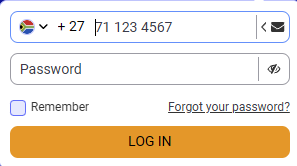
The desktop login flow starts at the top-right corner of the homepage where a "Login" button sits next to the registration button. Clicking it opens a modal window rather than redirecting to a separate page. This modal contains fields for your identifier (ID, email, or phone) and password, plus a "Remember me" checkbox that extends session duration on trusted devices.
After entering credentials, the system may trigger additional verification depending on your security settings and login history. New devices or unusual locations often prompt an SMS code sent to your registered phone number. This code expires within minutes and must be entered in a second modal step. The desktop site also supports login via social accounts in some regions, though this feature varies by local regulations.
The "Forgot password" link sits below the password field and opens a recovery flow. You'll need access to either your registered email or phone number to receive a reset link or code. The desktop interface also displays a small checkbox for "Login via SMS" which sends a one-time code to your phone instead of requiring a password — useful if you've forgotten credentials but still have phone access.
Mobile Website Login Steps
The mobile website mirrors desktop functionality but adapts the layout for smaller screens. The login button typically appears in a hamburger menu or as a prominent header element. Tapping it opens a full-screen overlay with the same identifier and password fields. The mobile version prioritizes phone number entry since most mobile users registered via SMS.
Mobile browsers sometimes struggle with the login overlay if cookies are blocked or JavaScript is restricted. Chrome and Safari on default settings handle it fine, but privacy-focused browsers or aggressive ad blockers may interfere. If the login form doesn't appear, try disabling content blockers for the domain or switching to the native app.
One advantage of mobile web login is the integration with password managers on iOS and Android. The system recognizes the login fields and offers to autofill saved credentials. This works reliably on the mobile site but can be inconsistent in the native app depending on OS version and password manager implementation.
Scroll horizontally to see all columns
| Aspect | Mobile Web | Desktop |
|---|---|---|
| Layout | Full-screen overlay | Centered modal |
| Default identifier | Phone number prioritized | Any identifier accepted |
| Password manager support | Strong OS integration | Browser-dependent |
| SMS login option | Prominent | Available but less visible |
Paripesa App Login for Android and iOS
The dedicated apps provide the most streamlined login experience. After installation, the app opens directly to a login screen with fields for identifier and password. The Android APK and iOS versions function identically once installed. Both support biometric authentication — fingerprint or Face ID — after the first successful credential login, which eliminates typing for subsequent sessions.
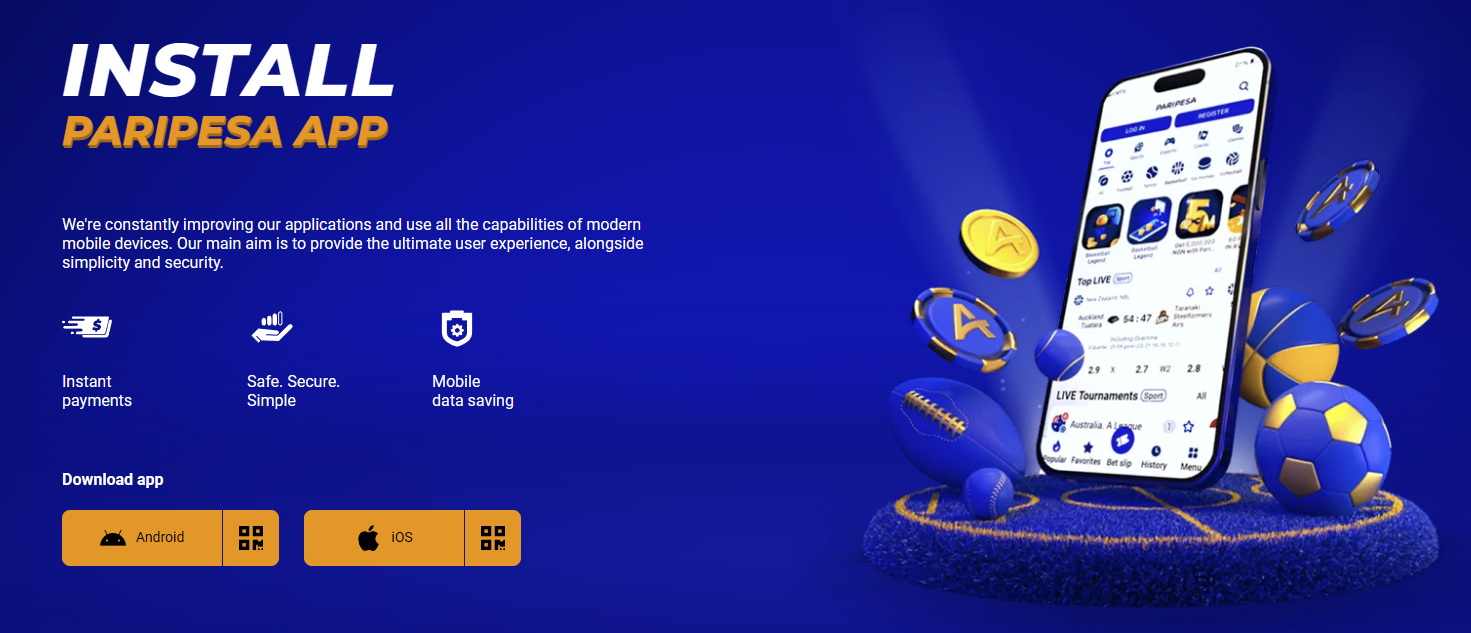
First-time app login requires your full credentials. The app then offers to enable biometric unlock. Accepting this stores an encrypted token in the device's secure enclave (iOS) or keystore (Android), not your actual password. If you change your password later, the biometric login continues working because the token validates against the server, not the local password. However, logging out completely or uninstalling the app clears this token.
App updates occasionally reset the biometric preference, requiring a manual credential login once before biometrics reactivate. This is a security feature, not a bug. The apps also support the SMS login flow where a one-time code replaces the password. This appears as a toggle on the login screen labeled "Login via SMS" and works identically to the web version.
- Download only from official sources: paripesa.com/app or App Store/Play Store
- Android APK requires enabling "Install from unknown sources" temporarily
- iOS version may need region change in Apple ID settings for some countries
- Biometric login persists across password changes
- App login works offline for viewing cached data but requires connection for betting
Registration and First Login
New users encounter several registration paths, each affecting the initial login experience. The standard email registration creates an account with email and password. Phone registration uses SMS verification and sets the phone as primary identifier. One-click registration generates a random account ID and password, then immediately logs you in — but you must save these credentials manually or link a phone/email before closing the session.
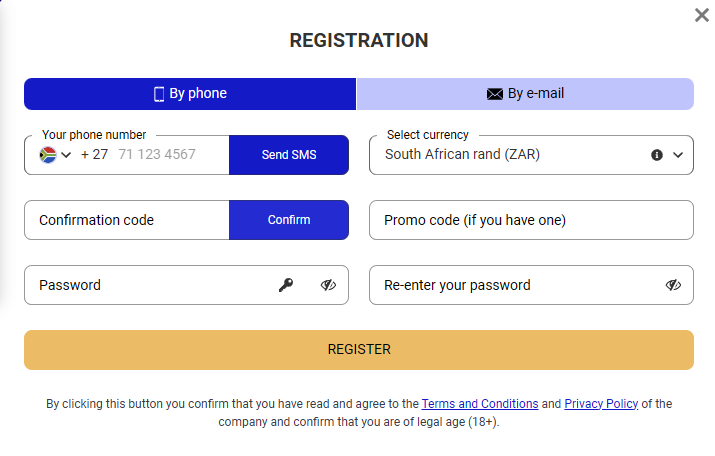
One-click registration is the fastest but riskiest for account recovery. The system displays a generated ID and password once. If you don't copy them or link a phone number immediately, recovering access becomes difficult. The platform prompts you to save credentials via screenshot, email, or file download. Take this seriously — support cannot retrieve a lost one-click password without a linked contact method.
Social network registration (Google, Telegram, etc.) creates an account linked to that provider. Subsequent logins can use the social button instead of credentials. However, this creates dependency on the third-party service. If you lose access to the Google or Telegram account, Paripesa support may not be able to unlink it without extensive verification.
Password Reset and Account Recovery
The password reset flow starts from the "Forgot password" link on any login screen. You enter your identifier (ID, email, or phone) and the system sends a reset code to the linked contact method. If both email and phone are registered, you choose which receives the code. The code expires in 10-15 minutes and can be used once to set a new password.
If you've lost access to both email and phone, recovery requires contacting support with identity verification. This typically involves submitting a photo of your ID document alongside a selfie holding the document, plus answering security questions about account history — recent bets, deposit methods, approximate balance. The process takes 24-48 hours and isn't guaranteed.
- Reset code sent via SMS or email based on your choice
- Code valid for single use within 10-15 minutes
- New password must differ from last 3 passwords
- Password requirements: 8+ characters, mixed case, at least one number
- Biometric login on app continues working after password change
A common issue arises when users change phone numbers without updating the account. The reset SMS goes to the old number, creating a dead end. Always update contact details in Account Settings before switching numbers. The same applies to email addresses — verify the new one before removing the old.
Common Login Problems and Solutions
Most login failures fall into predictable categories. Incorrect credentials top the list — often due to case sensitivity, extra spaces, or using an outdated password after a reset. The system doesn't specify which field is wrong for security reasons, so you must verify both. Copy-pasting from a password manager eliminates typos but can include invisible characters; typing manually once confirms the exact credentials.
Geographic restrictions block access from countries where Paripesa doesn't operate or where local laws prohibit online betting. The platform detects your IP and shows a restriction notice rather than a login error. VPNs sometimes bypass this but violate terms of service and risk account closure if detected. Some users report success with specific VPN locations, but this isn't reliable or recommended.
Scroll horizontally to see all columns
| Error Message | Likely Cause | Solution |
|---|---|---|
| Invalid login or password | Wrong credentials or case mismatch | Verify ID/email/phone and password; check caps lock |
| Account blocked | Security flag or KYC requirement | Contact support with ID verification |
| SMS code not received | Network delay or wrong phone number | Wait 2 minutes; request again; check spam folder |
| Access denied in your country | Geo-restriction | Check if Paripesa operates in your region |
| Session expired | Inactivity timeout | Log in again; check "Remember me" for longer sessions |
Browser and app cache issues cause silent failures where the login appears to succeed but redirects back to the login screen. Clearing cache and cookies for the domain usually resolves this. On the app, force-closing and reopening achieves the same. If problems persist, try a different browser or reinstall the app — this rules out local corruption.
Nine times out of ten, a login problem is a credential typo or an outdated saved password. Check the basics before assuming technical failure.
Security Features and Two-Factor Authentication
Paripesa offers two-factor authentication (2FA) via Google Authenticator or similar TOTP apps. This adds a time-based code requirement after entering credentials. Enabling 2FA happens in Account Settings > Security. The setup shows a QR code and backup codes — save the backup codes offline. They're the only way to regain access if you lose the authenticator device.
SMS-based login acts as a form of two-factor authentication when enabled. Each login attempt sends a code to your registered phone. This is less secure than TOTP because SIM swapping attacks can intercept SMS, but it's better than password-only. The platform also tracks login history — new devices, locations, and IP addresses appear in the security log with timestamps.
- TOTP 2FA: Google Authenticator, Authy, Microsoft Authenticator supported
- Backup codes: 10 single-use codes generated at setup — store securely
- SMS login: Optional alternative to password, not additional factor
- Login history: Shows last 20 sessions with device, location, time
- Active sessions: List of currently logged-in devices with revoke option
The active sessions view lets you see every device currently logged into your account. You can revoke individual sessions or all except the current one. This is useful if you logged in on a shared computer and forgot to log out, or if you notice an unfamiliar device. Revoking a session forces immediate logout on that device.
Account Verification Requirements
KYC (Know Your Customer) verification doesn't affect the login process directly, but unverified accounts face withdrawal limits and may trigger additional security checks during login. Paripesa typically requires verification before first withdrawal or when cumulative deposits reach a threshold. The process involves uploading ID documents and proof of address through the account dashboard.
Verification status appears in your personal cabinet. A green checkmark means fully verified. Yellow indicates pending review. Red means rejected or additional documents needed. While unverified, you can still log in, deposit, and bet, but withdrawals remain blocked. Some regions mandate verification at registration due to local regulations.
Document requirements: government-issued photo ID (passport, driver's license, national ID) and proof of address (utility bill, bank statement) no older than three months. The name on documents must match the account registration. Mismatches — common with married names or transliteration differences — require support intervention and delay verification.
Managing Multiple Devices
Paripesa allows simultaneous logins across multiple devices by default. You can be logged in on desktop, phone app, and tablet concurrently. Each session appears in the active sessions list. There's no hard limit on concurrent sessions, but excessive simultaneous logins from different locations may trigger security flags and temporary locks.
The "Remember me" checkbox on web login extends the session cookie to 30 days instead of the default 24 hours. On the app, sessions persist until manual logout or token expiration (typically 90 days of inactivity). Logging out on one device doesn't affect others unless you use the "Log out of all devices" option in security settings.
- No enforced limit on concurrent device logins
- Web "Remember me" = 30-day session cookie
- App sessions persist ~90 days without activity
- Security log shows all active sessions with device info
- Global logout available in Account Settings > Security
Switching between regional domains while logged in works seamlessly — the session carries over. However, some account features (bonuses, payment methods) change based on the active domain. If you travel frequently, you'll notice the site auto-redirects to the local domain, but your login remains valid. Currency and language preferences may reset to local defaults.
Final Assessment of Paripesa Login Experience
Paripesa's login system balances accessibility with security reasonably well. The multiple identifier options (ID, email, phone) accommodate different registration paths, and the SMS login alternative helps users who struggle with passwords. The app's biometric integration is smooth and persists through password changes, which many platforms fail to handle correctly.
Weak points include the one-click registration trap where users lose generated credentials, and the lack of hardware security key support (YubiKey, etc.) for 2FA. The geo-restriction handling is blunt — a clear error message would beat a silent redirect. Support response times for account recovery vary widely by region and language, which matters when you're locked out.
The login flow works fine for daily use. The friction appears only when something goes wrong — lost credentials, new device, travel — and that's where the experience degrades.
Frequently Asked Questions
Can I log in with my account ID instead of email or phone?
Yes. The numeric account ID assigned at registration works as a username on all platforms — desktop, mobile web, and app. Many users prefer it because it never changes.
What happens if I lose access to both my email and phone number?
You must contact support and complete identity verification with ID documents and account history questions. Recovery isn't guaranteed and takes 24-48 hours.
Does changing my password log me out of the app?
No. Biometric login on the app continues working after a password change because it uses a device-stored token validated by the server, not the password itself.
Why does the login page keep redirecting me to a different domain?
Paripesa auto-redirects to your regional domain based on IP address. Your credentials work across all domains since they share a central user database.
Is SMS login the same as two-factor authentication?
No. SMS login replaces the password with a one-time code. True 2FA requires a TOTP app (Google Authenticator) as a second factor alongside your password.
How many devices can be logged in simultaneously?
There's no hard limit. You can be logged in on desktop, mobile web, Android app, and iOS app at the same time. All active sessions appear in Account Settings > Security.
What should I do if the SMS code never arrives?
Wait two minutes and request again. Check spam folders. If it still fails, verify the phone number in your account settings is current, or try the email reset option instead.
Can I use a VPN to log in from a restricted country?
Technically possible but violates terms of service. Paripesa detects and blocks many VPN IPs. Accounts accessed via VPN risk permanent closure if flagged by security systems.