

Mobile Betting Apps
Paripesa iOS App: Download, Features, and Complete Guide
Everything you need to know about installing and using Paripesa on Apple devices.

Sports Betting Analyst & Football Predictions Expert
Brian Otieno is a Kenyan sports betting analyst with over 10 years of experience in football predictions, match analysis, and betting strategies. He specializes in European football leagues, statistical analysis, odds comparison, and identifying value betting opportunities. His approach combines data-driven insights, team performance research, and disciplined bankroll management to help sports enthusiasts make more informed betting decisions.
The Paripesa iOS app brings the full betting and casino experience to Apple devices without requiring a desktop browser. Users can place prematch and live bets, spin slots, join live dealer tables, manage deposits and withdrawals, and claim promotions directly from an iPhone or iPad. The app is not listed on the App Store in most regions due to Apple's gambling restrictions, so installation follows a different path than typical iOS software. This guide covers the download process, system requirements, account setup, key features, banking options, bonuses, performance, security, and troubleshooting so you can decide whether the app fits your needs.
Contents
- 1. How to Download the Paripesa iOS App
- 2. Installation Requirements and Compatibility
- 3. Creating an Account Through the App
- 4. Sports Betting Features on iOS
- 5. Casino Games and Live Dealer Options
- 6. Deposits and Withdrawals on Mobile
- 7. Bonuses and Promotions for App Users
- 8. App Performance and User Experience
- 9. Security and Account Protection
- 10. Troubleshooting Common Issues
- 11. Final Assessment of Paripesa iOS App
Paripesa operates under a Curacao license and serves customers across Africa, Asia, Latin America, and parts of Europe. The mobile app mirrors the desktop site's functionality while adding push notifications for bet results, bonus alerts, and live score updates. For bettors who prefer native navigation over mobile web, the app reduces load times and keeps login sessions active longer. The trade-off is the manual installation step, which some users find unfamiliar. Once installed, the experience feels similar to any other iOS app with bottom navigation, swipe gestures, and Face ID or Touch ID support for quick access.
How to Download the Paripesa iOS App
Because Apple does not allow real-money gambling apps in many regional App Stores, Paripesa distributes its iOS app through a direct download link on the official website. The process starts by visiting the Paripesa homepage on your iPhone or iPad using Safari. Chrome and other third-party browsers on iOS cannot initiate the installation profile download due to WebKit restrictions. Once on the site, tap the mobile app banner or navigate to the dedicated app page. The site detects iOS and presents an Install button that triggers a configuration profile download.
After the profile downloads, a system prompt appears asking to allow the profile installation. Tap Allow, then open the Settings app. At the top of Settings you will see a Profile Downloaded banner. Tap it, then tap Install in the top right corner. Enter your device passcode if prompted. A warning appears stating the developer is not verified by Apple — this is normal for enterprise-distributed apps. Tap Install again to confirm. The Paripesa icon appears on your home screen. Open the app once to complete the trust handshake. If a trust prompt appears, go to Settings > General > VPN & Device Management, select the Paripesa developer certificate, and tap Trust.
- Open Safari on your iPhone or iPad and go to the official Paripesa website.
- Tap the iOS download button on the homepage or app page.
- Allow the configuration profile to download when prompted.
- Open Settings and tap the Profile Downloaded banner at the top.
- Tap Install, enter your passcode, and confirm installation.
- Go to Settings > General > VPN & Device Management and trust the developer certificate.
- Launch the app from your home screen and log in or register.
Some regions may redirect to a mirror domain if the main site is blocked by local ISPs. The installation steps remain identical. If the profile fails to download, clear Safari cache and cookies, disable any content blockers, and try again. Avoid third-party sites claiming to host the IPA file — those are often outdated or modified. The official site always provides the current version with the latest security patches and feature updates.
Installation Requirements and Compatibility
The Paripesa iOS app runs on iOS 12.0 or later, which covers iPhone 5s and newer, iPad Air and newer, iPad mini 2 and newer, and iPod touch 6th generation. In practice, any device from the last six years handles the app without issues. The installation package is roughly 80 MB, but the app expands to around 200 MB after first launch as it caches assets, odds data, and game thumbnails. Ensure you have at least 500 MB free to accommodate updates and temporary files during live streaming.
The app requires an active internet connection — Wi-Fi or cellular — for all real-money functions. Background app refresh should be enabled if you want push notifications for bet settlements and bonus offers. Location services are optional but recommended for regions where geo-verification is required by the operator. The app does not require a jailbroken device and does not modify system files beyond the enterprise certificate trust setting.
Scroll horizontally to see all columns
| Device | Minimum Model | iOS Version |
|---|---|---|
| iPhone | 5s | 12.0+ |
| iPad | Air (1st gen) | 12.0+ |
| iPad mini | mini 2 | 12.0+ |
| iPod touch | 6th gen | 12.0+ |
Updates arrive periodically and install automatically when you open the app, provided the enterprise certificate remains valid. Apple occasionally revokes enterprise certificates used for gambling distribution, which causes the app to crash on launch. When this happens, Paripesa typically re-signs the app with a new certificate within 24 to 48 hours. You may need to delete the old app and reinstall from the website. Keeping the website bookmarked makes this process faster.
Creating an Account Through the App
First-time users can register directly inside the app without switching to a browser. Tap the Registration button on the welcome screen and choose one of four methods: one-click, by phone, by email, or via social networks and messengers. One-click generates a random username and password, which you should save immediately or export to a password manager. Phone registration sends an SMS code; email registration sends a verification link. Social options include Google, Telegram, and others depending on region.
After the initial signup, the app prompts you to complete your profile with full name, date of birth, and address. This information is required for KYC verification before your first withdrawal. You can skip it temporarily, but the withdrawal button stays disabled until verification finishes. The app supports document upload via the camera or photo library — passport, national ID, or driver's license for identity, plus a utility bill or bank statement for address. Verification usually completes within a few hours, sometimes minutes.
- One-click: instant credentials, save them immediately.
- Phone: SMS verification code sent to your number.
- Email: confirmation link sent to your inbox.
- Social: Google, Telegram, or regional messengers.
Returning users log in with their ID or email and password. The app offers Face ID and Touch ID integration after the first successful login — enable it in the security settings for faster access. You can also set a four-digit PIN as an alternative. If you forget your password, the reset flow sends a code to your registered email or phone. Two-factor authentication via Google Authenticator or SMS is available in the account security section and is strongly recommended for accounts with significant balances.
Sports Betting Features on iOS
The sportsbook covers over 40 sports with deep markets on football, cricket, tennis, basketball, ice hockey, and esports. Football alone often lists 1,000+ events daily across leagues from the Premier League to lower divisions in Kenya, Nigeria, Brazil, and Vietnam. Each event offers match winner, double chance, totals, handicaps, both teams to score, correct score, half-time/full-time, and player props. The app groups markets into tabs — Main, 1st Half, 2nd Half, Player, Corners, Cards — so you can find niche lines without scrolling through hundreds of options.
Live betting is a core strength. The in-play section updates odds in real time with a color flash — green for shortening, red for drifting. A match tracker visualizes ball position, attacks, corners, cards, and xG for football. Cricket shows wagon wheels, run rates, and partnership data. Tennis displays point-by-point progression. The one-click bet feature lets you preset a stake amount and place wagers with a single tap, useful for fast-moving markets. Cash out is available on eligible singles and accumulators, with partial cash out letting you lock profit while leaving part of the stake running.
Accumulator building is streamlined — tap multiple selections across different events, and the bet slip automatically switches to accumulator mode. The app shows combined odds, potential return, and a slider for system bets (Trixie, Yankee, Patent, etc.). Bet builder allows combining markets from the same match, such as over 2.5 goals plus both teams to score plus a specific player to score. Odds format toggles between decimal, fractional, American, Hong Kong, Indonesian, and Malay. The statistics button opens head-to-head, form, standings, and venue data without leaving the event page.
- 40+ sports with deep market coverage
- Live betting with match tracker and real-time odds flashes
- One-click bet for preset stakes
- Cash out and partial cash out on eligible bets
- Bet builder for same-game multis
- System bets: Trixie, Yankee, Patent, Lucky 15, and more
- Six odds formats available
Casino Games and Live Dealer Options
The casino section hosts thousands of slots from providers like Pragmatic Play, NetEnt, Microgaming, Play'n GO, Yggdrasil, Red Tiger, and dozens of smaller studios. Games load in a full-screen WebView wrapper that feels native. You can filter by provider, volatility, features (megaways, bonus buy, jackpots), and themes. A search bar finds titles instantly. Most slots offer a demo mode playable without login — useful for testing volatility before risking real money. The app remembers your last played games in a Recently Played row on the casino home screen.
Table games include multiple variants of blackjack, roulette, baccarat, poker, and sic bo. Video poker fans find Jacks or Better, Deuces Wild, and Joker Poker. The live casino runs on Evolution, Ezugi, Pragmatic Play Live, Vivo Gaming, and others. Tables stream in HD with adaptive bitrate — the app switches quality automatically on weaker connections. You can chat with dealers and other players, view game history, and access side bets. Popular game shows like Crazy Time, Monopoly Live, Deal or No Deal, and Sweet Bonanza CandyLand are fully playable on iOS with touch-optimized bet grids.
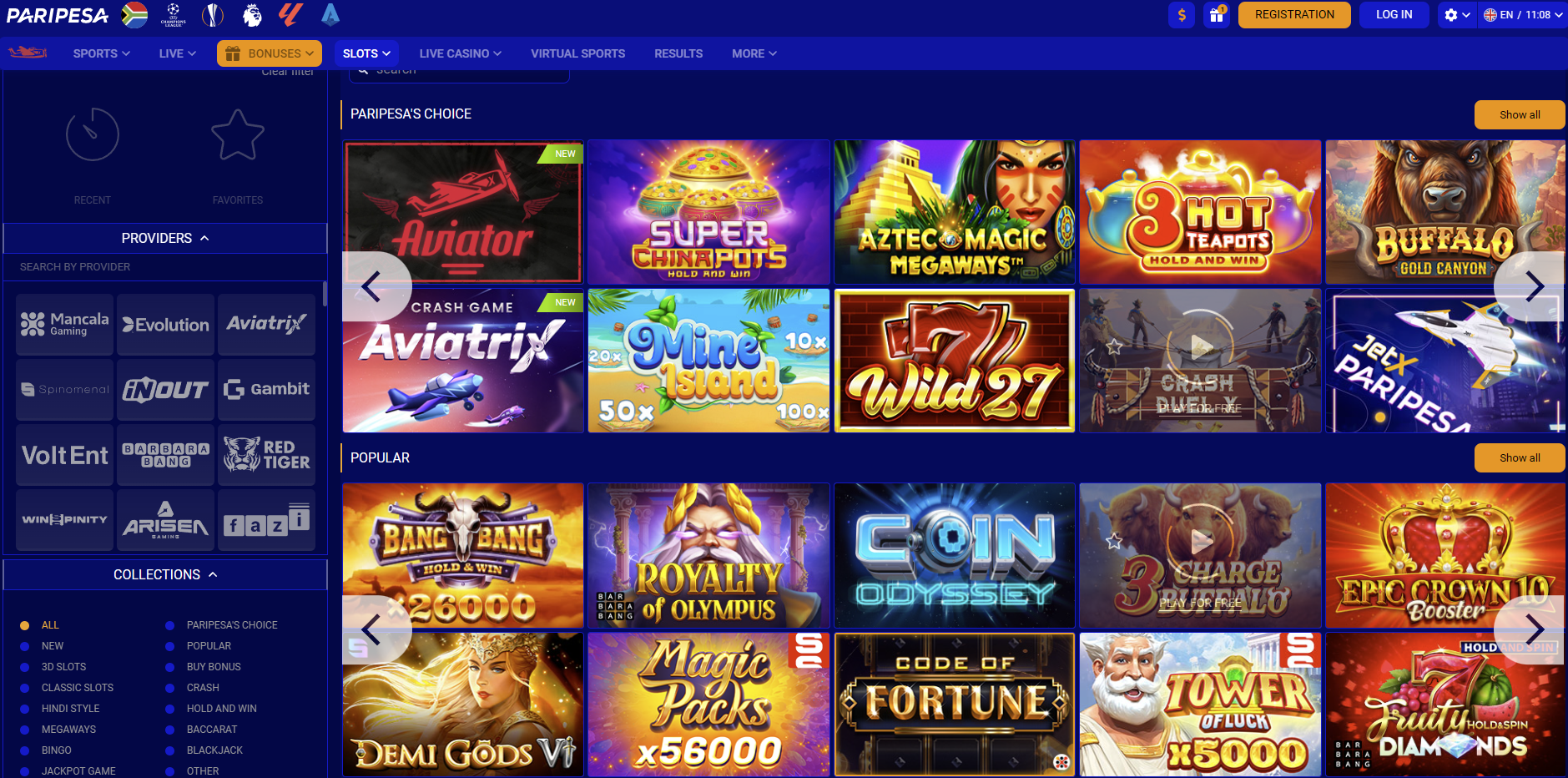
Instant games — Aviator, JetX, Mines, Plinko, Dice, Lucky Jet, Spaceman — have dedicated icons in the bottom navigation on some app versions. These crash-style games run smoothly on iOS with minimal latency. The provably fair hash is viewable in the game menu. Jackpot slots pool across the network; the current total displays above the game thumbnail. Tournament leaderboards for slots and live casino run weekly with prize pools in cash or free spins. Opt-in is a single tap from the promotions tab.
Scroll horizontally to see all columns
| Category | Providers | Demo Mode |
|---|---|---|
| Slots | 50+ | Yes |
| Table Games | 15+ | Yes |
| Live Casino | 10+ | No |
| Instant Games | 8+ | Yes |
| Jackpots | 20+ | No |
Deposits and Withdrawals on Mobile
The cashier supports a wide range of payment methods tailored to each country. In India: UPI, Paytm, PhonePe, Google Pay, NetBanking, and crypto. In Nigeria: bank transfer, USSD, OPay, Palmpay, and crypto. In Kenya: M-Pesa, Airtel Money, and bank cards. In Brazil: Pix, Boleto, and local cards. Minimum deposit is typically $1 or local equivalent. Maximum limits vary by method — e-wallets and crypto often allow higher single transactions than bank transfers. Deposits are instant for most methods; bank transfers may take 15 to 60 minutes.
Withdrawals use the same method as the deposit where possible (closed-loop policy). Minimum withdrawal starts around $1.50. Processing times: e-wallets and crypto — 15 minutes to 2 hours; bank cards — 1 to 3 business days; bank transfers — up to 5 business days. The app shows pending status with an estimated completion time. KYC must be complete before the first withdrawal request. There are no fees from Paripesa, but payment providers may charge their own. Daily, weekly, and monthly limits apply based on verification level — higher tiers unlock larger limits.
The deposit flow in the app is straightforward: tap the balance, choose Deposit, pick a method, enter amount, and confirm. You are redirected to the provider's page (UPI app, banking portal, crypto wallet) and return automatically on success. Withdrawal follows the same path. The app saves your preferred methods for one-tap reuse. Transaction history filters by date, type, status, and amount. You can export a CSV of your history from the personal account section on the desktop site — the app currently only shows the last 50 transactions.
- UPI, Paytm, PhonePe, Google Pay (India)
- M-Pesa, Airtel Money (Kenya)
- Bank transfer, USSD, OPay (Nigeria)
- Pix, Boleto (Brazil)
- Visa, Mastercard (selected regions)
- Bitcoin, USDT, Ethereum, and other crypto
- Perfect Money, Skrill, Neteller (where available)
Bonuses and Promotions for App Users
New customers receive a welcome package split across the first four deposits. The standard offer matches 100% up to $100 on the first deposit, 50% up to $150 on the second, 25% up to $200 on the third, and 25% up to $250 on the fourth. Casino free spins are bundled — 30 on the first deposit, 35 on the second, 40 on the third, and 45 on the fourth. Minimum deposit to trigger each tier is $10. Wagering requirement is 5x on accumulator bets with at least three selections at 1.40 odds or higher for the sports bonus, and 35x for the casino bonus. Both must be completed within 30 days.
Existing users access reload bonuses, accumulator of the day (boosted odds on a pre-built acca), accumulator insurance (refund if one leg loses), advancebet (bet with unsettled balance), and birthday bonuses. The promo code store lets you exchange bonus points for free bets, free spins, and cashback vouchers. Points accumulate from real-money bets — 1 point per $10 wagered on sports, 1 point per $50 on casino. The VIP cashback program returns 0.05% to 0.25% of losses weekly depending on tier, paid as real money with no wagering.
App-exclusive promotions appear occasionally — push notifications alert you when a mobile-only free bet or enhanced odds offer goes live. These are time-limited, usually 24 to 48 hours. The promotions tab in the app filters by Sports, Casino, and All. Each offer shows the key terms: minimum odds, wagering, max bet, eligible markets, and expiry. Read them before opting in. Some bonuses require a promo code entered at deposit; others activate automatically. The app tracks active bonuses in the My Bonuses section with progress bars for wagering.
App Performance and User Experience
On a modern iPhone (12 or newer), the app launches in under two seconds from cold start. Navigation between sports, live, casino, and promotions tabs is instant — no web reloads. Scrolling through long event lists stays smooth at 60 fps. Live odds updates arrive via WebSocket with sub-second latency. The app caches league structures and team names, so switching between sports doesn't trigger network requests for static data. Battery drain is moderate; an hour of live betting with screen on consumes roughly 8 to 10% on an iPhone 13.
The interface follows iOS conventions: bottom tab bar, swipe-back gestures, pull-to-refresh on lists, and native share sheets for bet slips. Dark mode respects the system setting. Text size scales with Dynamic Type up to a point — very large accessibility sizes can push some odds columns off-screen. Landscape mode works on iPad but is locked to portrait on iPhone. The bet slip slides up from the bottom and can be minimized with a drag handle, letting you browse more markets while keeping your selections visible.
Push notifications are granular — you can enable or disable bet results, bonus offers, live score alerts, deposit confirmations, and withdrawal status separately. The app requests notification permission on first launch; you can change it later in iOS Settings. Notification payloads are small and do not contain sensitive data. One annoyance: the app occasionally shows a rate-us prompt after a winning bet. There is no setting to disable it permanently, but dismissing it three times usually stops it for a few weeks.
The app feels faster than the mobile site because it keeps the session alive and caches static assets. For daily bettors, that saves minutes per session.
Security and Account Protection
The app communicates over TLS 1.2+ with certificate pinning to prevent man-in-the-middle attacks on public Wi-Fi. The enterprise distribution certificate is signed by Apple's Developer Enterprise Program, which means Apple has verified the organization identity — though not the app's compliance with App Store guidelines. The app does not request unnecessary permissions: no contacts, no microphone, no camera unless you initiate document upload. Location is optional. Biometric data (Face ID/Touch ID) never leaves the Secure Enclave; the app only receives a success/failure token from the system.
Two-factor authentication supports Google Authenticator (TOTP) and SMS codes. Once enabled, every login from a new device requires the code. You can view active sessions in the security settings and revoke any you don't recognize. The app logs you out automatically after 30 days of inactivity. Password changes force logout on all devices. A login history shows timestamp, device type, IP country, and browser/app version. If you see an unknown entry, change your password and enable 2FA immediately.
Responsible gambling tools are accessible from the account menu: deposit limits (daily, weekly, monthly), loss limits, wager limits, session time limits, reality check intervals, and self-exclusion periods from 24 hours to permanent. Limits take effect immediately; increasing them has a 24-hour cooling-off period. The self-exclusion request closes the account and blocks new registrations with the same details. The app also links to GamCare, Gambling Therapy, and local helplines based on your registered country.
- TLS 1.2+ with certificate pinning
- Face ID and Touch ID via Secure Enclave
- Google Authenticator and SMS 2FA
- Active session management with revocation
- Automatic logout after 30 days inactivity
- Deposit, loss, wager, and session limits
- Self-exclusion from 24 hours to permanent
Troubleshooting Common Issues
The most frequent issue is the app crashing on launch with an 'Untrusted Developer' message. This means the enterprise certificate was revoked. Fix: delete the app, revisit the official site in Safari, and reinstall the latest signed version. If the profile download fails, clear Safari history and website data (Settings > Safari > Clear History and Website Data), disable content blockers, and try again. Ensure you are on the official domain — mirrors sometimes serve stale profiles.
Login failures usually stem from incorrect credentials, expired password, or 2FA code mismatch. The app allows five attempts before a temporary lockout. Use the Forgot Password flow if needed. If 2FA codes from Google Authenticator don't work, check that your phone's time is set to automatic — TOTP depends on synchronized time. For SMS codes not arriving, wait two minutes, request a new code, and ensure your number is correct in the profile. Network issues on the operator side can delay SMS delivery.
Deposit not credited after a successful payment: wait 10 minutes, then pull down to refresh the balance. If still missing, open the transaction history and check status. Pending means the provider hasn't confirmed. Failed means the money should return to your source within 1 to 3 business days. Contact support with the transaction ID (shown in history) if it stays pending beyond the provider's typical window. Withdrawal delays beyond the stated timeframe usually indicate KYC documents under review or a payment provider outage.
Scroll horizontally to see all columns
| Issue | Likely Cause | Fix |
|---|---|---|
| App crashes on launch | Revoked enterprise certificate | Delete app, reinstall from official site |
| Profile won't download | Safari cache or content blocker | Clear Safari data, disable blockers |
| Login rejected | Wrong password or 2FA code | Reset password, check device time sync |
| Deposit not showing | Provider confirmation delay | Wait 10 min, refresh, contact support with TXID |
| Withdrawal stuck | KYC review or provider outage | Check email for document request, wait 24h |
| Push notifications missing | iOS permission disabled | Enable in Settings > Notifications > Paripesa |
Final Assessment of Paripesa iOS App
The Paripesa iOS app delivers a complete betting and casino experience on Apple devices without requiring the App Store. Installation takes two minutes once you know the profile trust step. The app covers the full product range — sportsbook with deep markets and live streaming data, casino with thousands of slots and live tables, instant games, and all account functions. Performance is solid on devices from the last five years. Push notifications, biometric login, and one-click bet make daily use efficient.
The main friction point is certificate revocation. Apple periodically pulls enterprise certificates used for gambling distribution, which breaks the app until Paripesa re-signs and redistributes it. This happens a few times per year. Users who bet daily should bookmark the official site for quick reinstall. The lack of landscape mode on iPhone and occasional rate-us prompts are minor annoyances. The closed-loop withdrawal policy can be inconvenient if your deposit method becomes unavailable.
For bettors in supported regions who want a native iOS experience and don't mind the occasional reinstall, the app is a strong choice. It matches the desktop feature set, adds mobile conveniences, and runs smoothly. Casual users who only bet occasionally may prefer the mobile website to avoid certificate hassles. Either way, the product itself — odds, markets, game variety, bonuses, and payment options — is competitive. The app is simply the delivery vehicle.
Frequently Asked Questions
Is the Paripesa iOS app available on the App Store?
No. Apple does not allow real-money gambling apps in most regional App Stores. The app is distributed via a configuration profile downloaded from the official Paripesa website in Safari.
What iOS version do I need for the Paripesa app?
iOS 12.0 or later. This covers iPhone 5s and newer, iPad Air and newer, iPad mini 2 and newer, and iPod touch 6th generation.
Why does the app say Untrusted Developer when I open it?
The enterprise certificate used to sign the app has been revoked by Apple. Delete the app and reinstall the latest version from the official website.
Can I use Face ID or Touch ID to log in?
Yes. After your first successful login, enable biometric authentication in the app's security settings for faster access.
Are deposits and withdrawals instant on the app?
Deposits are instant for most methods. Withdrawals take 15 minutes to 2 hours for e-wallets and crypto, 1 to 3 business days for cards, and up to 5 business days for bank transfers.
Does the app have the same bonuses as the desktop site?
Yes. All promotions are shared. The app occasionally receives mobile-exclusive offers delivered via push notification.
What should I do if a deposit doesn't appear in my balance?
Wait 10 minutes and pull to refresh. If still missing, check transaction history for the status and contact support with the transaction ID.