

Betting Guides
Paripesa Verification Process and Requirements
Step-by-step verification process with document requirements and common issues

Sports Betting Analyst & Football Predictions Expert
Brian Otieno is a Kenyan sports betting analyst with over 10 years of experience in football predictions, match analysis, and betting strategies. He specializes in European football leagues, statistical analysis, odds comparison, and identifying value betting opportunities. His approach combines data-driven insights, team performance research, and disciplined bankroll management to help sports enthusiasts make more informed betting decisions.
Paripesa verification is the mandatory identity check every user must complete before withdrawing funds. The platform follows standard Know Your Customer procedures required by its licensing authority. Most users encounter this process when they request their first withdrawal, though Paripesa may ask for documents at any time. Understanding what to expect saves frustration and prevents delays when you want to access your winnings.
Contents
- 1. Why Paripesa Requires Verification
- 2. Documents Accepted for Identity Verification
- 3. Proof of Address Requirements
- 4. Payment Method Verification
- 5. Step-by-Step Verification Process
- 6. Verification Timeline and Status Meanings
- 7. Common Rejection Reasons and Fixes
- 8. Mobile App Verification Experience
- 9. Withdrawal Limits Before and After Verification
- 10. Regional Differences in Verification Requirements
- 11. Troubleshooting Stuck Verification
- 12. Re-verification Triggers
- 13. Security Benefits of Completed Verification
- 14. Verification for Corporate or Shared Accounts
- 15. Final Assessment of Paripesa Verification
The verification system at Paripesa operates similarly to other major betting platforms. You submit identity and address documents through your account dashboard. The compliance team reviews them, usually within 24 to 48 hours. Once approved, your account gains full withdrawal access. Until then, you can deposit and bet normally, but withdrawal requests remain pending or get rejected.
This guide covers every aspect of the Paripesa verification process. You will learn which documents work, how to submit them correctly, typical timelines, common rejection reasons, and what to do if your verification stalls. The information reflects the platform's current requirements as of 2024.
Why Paripesa Requires Verification
Verification serves three main purposes. First, it satisfies anti-money laundering regulations that apply to the platform's Curacao license. Second, it prevents underage gambling by confirming you are at least 18 years old. Third, it protects your account from unauthorized access. If someone gains control of your login credentials, they cannot withdraw funds without passing the identity check.
Some users view verification as an unnecessary hurdle. In practice, it is a one-time process for most people. Once your documents are approved, you rarely need to repeat it unless you change your legal name, move to a new address, or update your payment method. The initial inconvenience pays off in account security and regulatory compliance.
Documents Accepted for Identity Verification
Paripesa accepts several document types for proof of identity. The primary requirement is a government-issued photo ID that shows your full name, date of birth, photograph, and expiration date. All four corners must be visible in the scan or photo. Blurry images, cropped edges, or glare that obscures text will cause rejection.
- International passport (photo page)
- National identity card (both sides)
- Driver's license (both sides)
- Residence permit with photo
The document must be valid. Expired passports or ID cards are rejected automatically. If your document expires within three months, the compliance team may ask for a renewed version. Temporary paper licenses without photos are not accepted. The name on your identity document must match the name registered on your Paripesa account exactly.
Proof of Address Requirements
Address verification is separate from identity verification. Paripesa needs a document that shows your full name and residential address, issued within the last three months. The address must match the one in your account profile. Commonly accepted documents include utility bills, bank statements, and official government correspondence.
- Electricity, water, or gas bill (last 3 months)
- Bank or credit card statement (last 3 months)
- Internet or landline phone bill (last 3 months)
- Government tax letter or benefit statement
- Rental agreement with official registration stamp
Mobile phone bills are accepted only if they show a landline or fixed broadband service. Prepaid mobile statements usually fail. The document must display the issuing company logo, your name, the address, and a clear issue date. Screenshots from banking apps work if they contain all required elements. PDF downloads from online banking are preferred over photos of paper statements.
Scroll horizontally to see all columns
| Requirement | Identity Document | Address Document |
|---|---|---|
| Full name match | Yes | Yes |
| Photo visible | Yes | No |
| Expiration date | Must be valid | Issued within 3 months |
| Four corners visible | Yes | Yes |
| Color scan or photo | Yes | Yes |
| File format | JPG, PNG, PDF | JPG, PNG, PDF |
Payment Method Verification
In addition to identity and address, Paripesa may require proof that you own the payment method used for deposits. This step prevents stolen card or wallet usage. The requirements differ by payment type. Bank cards need a photo showing the first six and last four digits, with the middle digits covered. The cardholder name must be visible. E-wallets like Skrill or Neteller require a screenshot of your account profile showing the registered email. Crypto wallets need a screenshot of the wallet address used for deposits.
If you deposit with multiple methods, you may need to verify each one. The platform sometimes waives this for small amounts but enforces it for larger withdrawals. Keep screenshots or photos ready for every payment method you use. This preparation eliminates a common delay source.
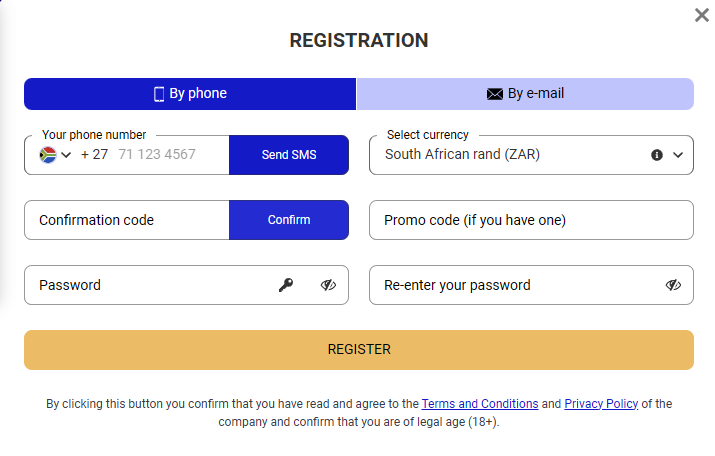
The sign-up process creates your account profile. Verification starts only after you submit documents through the verification section.
Step-by-Step Verification Process
Completing verification takes about ten minutes if you have documents ready. Log into your Paripesa account and open the profile menu. Select "Verification" or "KYC" from the sidebar. The page shows three sections: Identity, Address, and Payment Method. Each has an upload button and status indicator.
- Log into your Paripesa account
- Open Profile > Verification
- Upload identity document (passport, ID card, or license)
- Upload address document (utility bill or bank statement)
- Upload payment method proof if prompted
- Submit and wait for review
After submission, the status changes to "Pending." You cannot edit uploaded files. If the compliance team needs something different, they will reject the specific document with a reason and you can upload a replacement. Check your email and account notifications for updates. The review typically finishes within 24 hours during business days. Weekends and holidays may extend this to 48 hours.
Verification Timeline and Status Meanings
Each document goes through its own review cycle. You might see "Approved" for identity while address remains "Pending." Withdrawal access unlocks only when all required sections show "Approved." The status labels are straightforward but worth understanding.
Scroll horizontally to see all columns
| Status | Meaning | Action Required |
|---|---|---|
| Not Started | No document uploaded | Upload required document |
| Pending | Under review by compliance | Wait for decision |
| Approved | Document accepted | None |
| Rejected | Document does not meet requirements | Upload replacement per rejection reason |
| Expired | Approved document has expired | Upload renewed document |
If a document stays in "Pending" for more than 48 business hours, contact support through live chat. Provide your account ID and ask for a status update. Sometimes the queue backs up during major sporting events. Support can escalate the review or confirm if something is missing.
Common Rejection Reasons and Fixes
Rejections are frustrating but usually fixable. The compliance team provides a specific reason for each rejected document. The most frequent issues are preventable with careful preparation.
- Blurry or low-resolution images: Retake in better light, hold camera steady
- Cropped corners: Reposition document so all four edges show
- Glare on laminated surface: Angle the document or use diffuse lighting
- Expired document: Renew the ID or use a valid alternative
- Name mismatch: Update account profile to match legal name exactly
- Address older than three months: Get a recent utility bill or bank statement
- Payment method not in your name: Verify only methods you own personally
- Screenshot missing required details: Recapture with full profile visible
A name mismatch is the most time-consuming issue. If your account shows a nickname or abbreviated name, you must contact support to change the registered name before verification can proceed. This change may require additional proof such as a marriage certificate or deed poll. Address the name discrepancy before uploading documents.
Most verification delays come from preventable image quality issues. A clear, well-lit photo saves days of back-and-forth.
Mobile App Verification Experience
The Paripesa mobile app includes the same verification flow as the desktop site. You access it through the profile menu. The app camera integration lets you photograph documents directly, which often produces better results than uploading files transferred from a computer. The app also sends push notifications when your status changes, so you know immediately when review completes.
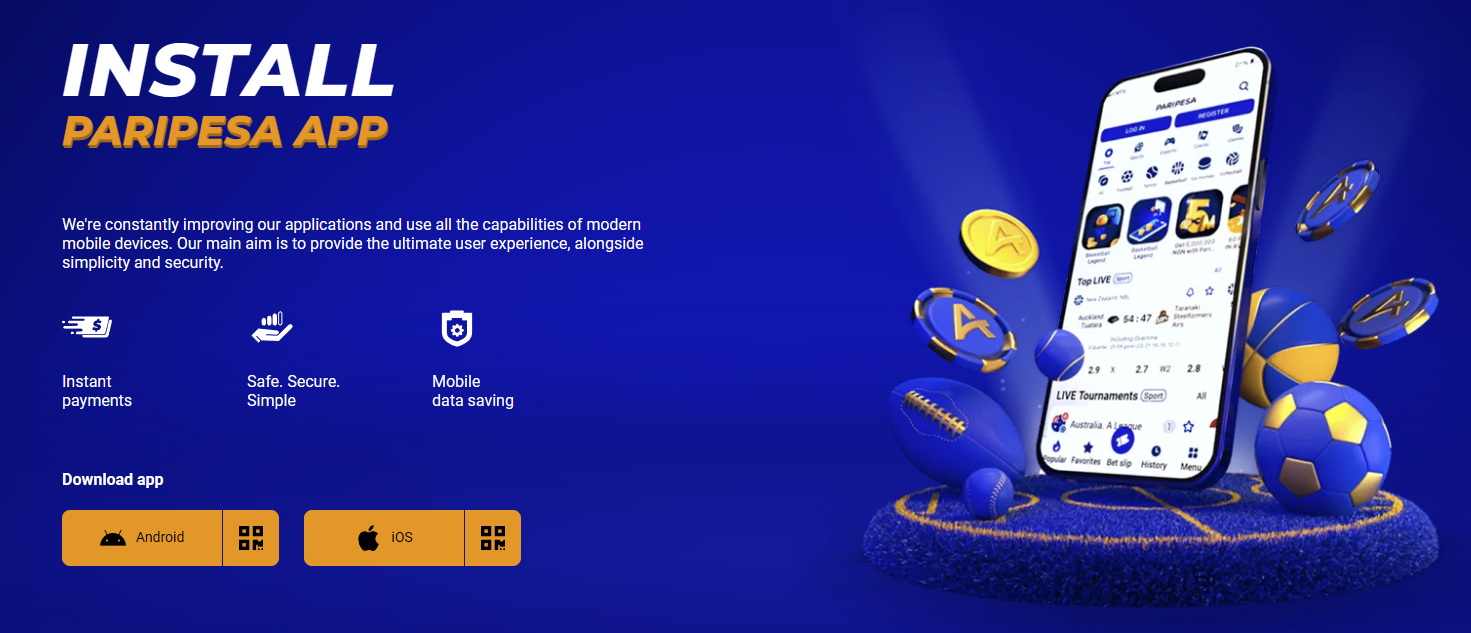
Android and iOS versions behave identically for verification. If you prefer desktop, you can start on one device and finish on another. The account status syncs across platforms. Some users find the app camera easier for capturing ID cards without glare. Others prefer scanning documents on a flatbed scanner and uploading via desktop. Both approaches work.
Withdrawal Limits Before and After Verification
Unverified accounts face strict withdrawal restrictions. Paripesa typically blocks all withdrawals until KYC is complete. Some regions allow very small withdrawals without full verification, but this varies by local regulation and payment provider. Do not count on this exception. Assume zero withdrawal access until every required document shows "Approved."
Scroll horizontally to see all columns
| Verification Status | Withdrawal Access | Notes |
|---|---|---|
| No documents submitted | Blocked | All withdrawal requests rejected |
| Identity only approved | Blocked | Address and payment method also required |
| Identity and address approved | Partial | Payment method verification may still be needed |
| Fully verified | Full access | Standard limits apply per payment method |
Once fully verified, your withdrawal limits depend on the payment method, not your verification status. E-wallets and crypto typically allow higher single-transaction amounts than bank cards. Check the cashier page for current limits. Verification does not increase limits beyond what the payment processor allows.
Regional Differences in Verification Requirements
Paripesa operates in dozens of countries. The core verification requirements remain consistent, but local regulations add variations. Users in India often need Aadhaar or PAN card alongside standard documents. Nigerian users may provide BVN (Bank Verification Number) confirmation. Brazilian users sometimes submit CPF documentation. Kenyan users might need M-Pesa registration proof.
The platform detects your country during registration and adjusts the verification page accordingly. If you move countries, update your address in the profile and expect a re-verification request. Using a VPN to appear in a different country complicates verification because your IP location will not match your submitted address documents. This mismatch triggers manual review and delays.
Troubleshooting Stuck Verification
Sometimes verification appears stuck. The status shows "Pending" for days, or you receive no response after a rejection. Several steps can resolve this without waiting indefinitely.
- Check spam folder for emails from [email protected]
- Open live chat and request a compliance team escalation
- Verify your email address is confirmed in account settings
- Ensure phone number is verified if two-factor authentication is enabled
- Try uploading from a different device or browser
- Clear browser cache and cookies before re-uploading
Live chat is the fastest escalation path. Provide your user ID and ask specifically for the compliance department. General support agents cannot approve documents but can flag your case for priority review. If live chat is unavailable, email compliance directly with your user ID, registered email, and a brief description of the issue. Attach the documents you tried to upload.
Emailing compliance directly with attached documents often resolves stuck cases faster than waiting for the automated queue.
Re-verification Triggers
Verification is not always a one-time event. Certain account changes trigger a new KYC request. Understanding these triggers helps you prepare documents in advance.
- Legal name change (marriage, divorce, deed poll)
- Address change to a new residence
- New payment method not previously verified
- Document expiration (passport, ID card, utility bill)
- Large withdrawal request exceeding previous amounts
- Account dormancy for 12+ months
- Security flag from unusual login activity
When re-verification is required, you receive an email and in-app notification. Your withdrawal access pauses until the new documents are approved. Deposits and betting continue normally. The review process is the same as initial verification but usually faster since your account history is established.
Security Benefits of Completed Verification
Beyond withdrawal access, verified accounts gain stronger protection. Paripesa can confirm your identity if you lose access to your email or phone. Account recovery becomes straightforward. Unverified accounts face longer recovery processes because the platform cannot confirm ownership. Verified users also receive priority support routing in some cases.
Two-factor authentication works independently of verification. Enable 2FA regardless of your KYC status. It protects your login. Verification protects your withdrawals. Both layers matter. A verified account without 2FA is vulnerable to credential theft. An unverified account with 2FA cannot be withdrawn from by anyone, including you.
Verification for Corporate or Shared Accounts
Paripesa terms prohibit shared accounts. Each account must belong to one individual who is the sole user. Corporate entities cannot open betting accounts under the company name. If compliance detects multiple users accessing one account, or if documents suggest a business entity, the account will be closed and funds may be forfeited per the terms of service.
This policy is strict. Do not let friends or family use your account. Do not create accounts for others. The verification process is designed to confirm a single natural person. Attempting to circumvent this triggers fraud detection systems that are difficult to appeal.
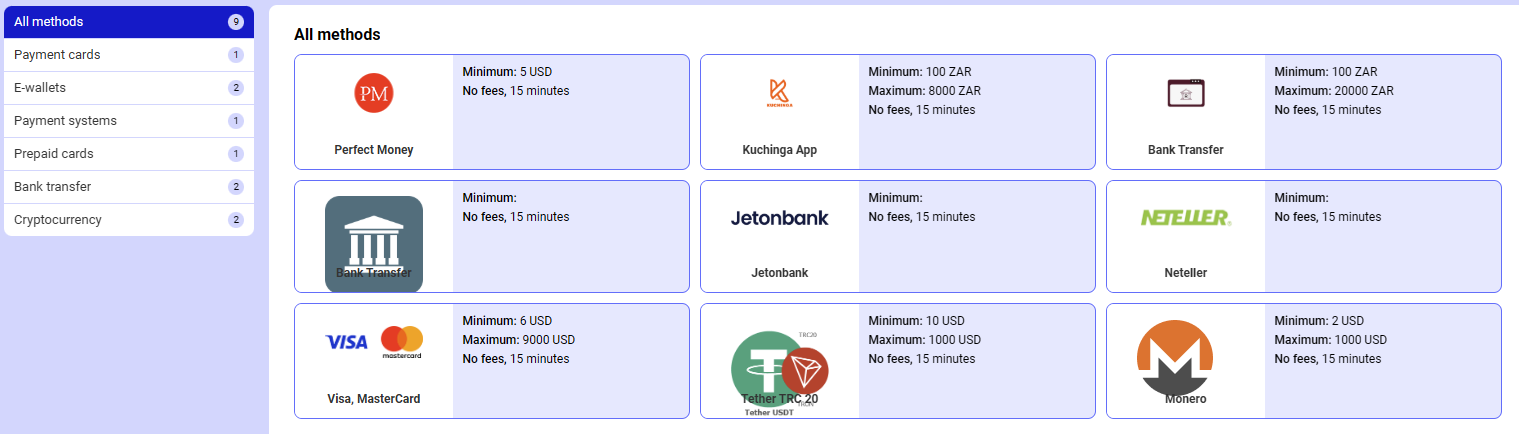
The withdrawal methods page displays all available options once verification is complete. Each method has its own limits and processing times.
Final Assessment of Paripesa Verification
Paripesa verification follows industry-standard KYC procedures. The requirements are clear, the document types are reasonable, and the review timeline is competitive with other major platforms. Most users complete the process in one submission if they follow the quality guidelines. The main friction points are image quality and name mismatches, both avoidable with preparation.
The platform could improve by providing real-time image quality feedback during upload and by allowing document replacement without full rejection cycles. However, these are minor usability issues, not structural problems. For users in supported countries, verification is a routine step that unlocks full account functionality within a day or two.
If you plan to use Paripesa regularly, verify your account immediately after registration. Do not wait for a withdrawal request. Early verification means your first withdrawal processes without delay. Keep your documents current and update the platform promptly when your ID or address changes. This proactive approach eliminates the most common verification frustrations.
Frequently Asked Questions
How long does Paripesa verification take?
Most verifications complete within 24 hours on business days. Weekends and holidays may extend this to 48 hours. Complex cases or high queue volumes can take longer.
Can I withdraw before verification is complete?
No. Withdrawal requests are blocked until all required documents show Approved status. Deposits and betting work normally during verification.
What if my address document is older than three months?
It will be rejected. Obtain a recent utility bill, bank statement, or government letter dated within the last 90 days.
Do I need to verify every payment method I use?
Yes, Paripesa may require proof of ownership for each deposit method. This is enforced more strictly for larger withdrawal amounts.
What happens if my passport expires after verification?
Your verification status changes to Expired. You must upload the renewed passport before making further withdrawals.
Can I use a VPN during verification?
Avoid VPNs. An IP location mismatch with your submitted address triggers manual review and adds days to the process.
Why was my identity document rejected for glare?
Laminated IDs reflect flash. Retake the photo in natural light without flash, angling the document to eliminate reflections.
Does verification increase my withdrawal limits?
No. Verification unlocks withdrawal access. Limits are set by each payment method, not by verification status.