

Betting Guides
Paripesa KYC Verification: Complete Guide to Account Verification
Everything you need to know about verifying your Paripesa betting account

Sports Betting Analyst & Football Predictions Expert
Brian Otieno is a Kenyan sports betting analyst with over 10 years of experience in football predictions, match analysis, and betting strategies. He specializes in European football leagues, statistical analysis, odds comparison, and identifying value betting opportunities. His approach combines data-driven insights, team performance research, and disciplined bankroll management to help sports enthusiasts make more informed betting decisions.
Paripesa requires identity verification before you can withdraw winnings. The process follows standard Know Your Customer regulations that apply to licensed betting operators worldwide. Most users complete verification within a day, though document review times vary depending on submission quality and current queue volume.
Contents
- 1. Why Paripesa Requires KYC Verification
- 2. Documents Required for Paripesa Verification
- 3. Step-by-Step Verification Process
- 4. Verification Levels and Account Limits
- 5. Common Rejection Reasons and Fixes
- 6. Mobile App Verification Process
- 7. Verification Timeframes and What Affects Them
- 8. Security and Data Protection During KYC
- 9. Withdrawal Restrictions Before Verification
- 10. Tips for First-Time Verification Success
- 11. Verification for Specific Regions
- 12. Troubleshooting Stuck Verification
- 13. Verification and Bonus Eligibility
- 14. Document Updates and Re-Verification
- 15. Final Assessment of Paripesa KYC Process
This guide covers every aspect of the Paripesa KYC process: what documents you need, how to submit them, what happens at each verification level, common rejection reasons, and practical tips to avoid delays. The information reflects the platform's current requirements as of 2024.
You can start betting immediately after registration and first deposit. Verification only becomes mandatory when you request a withdrawal. This approach lets new users explore the platform before committing to the document submission process.
Why Paripesa Requires KYC Verification
Licensed betting operators must verify customer identities to comply with anti-money laundering regulations and prevent fraud. Paripesa operates under a Curacao license, which mandates identity checks for all withdrawal requests. The platform also uses verification to enforce age restrictions and prevent bonus abuse across multiple accounts.
From a user perspective, verification protects your account. Once verified, only you can access funds and make changes to payment methods. Unverified accounts face withdrawal blocks and lower transaction limits. The trade-off is a one-time document submission that unlocks full platform functionality.
Documents Required for Paripesa Verification
Paripesa accepts standard government-issued identification documents. The primary document must show your full name, date of birth, photograph, and expiration date. Acceptable primary documents include international passports, national identity cards, and driver's licenses. The document must be valid — expired documents are rejected automatically.
Proof of address is the second requirement. Recent utility bills (electricity, water, gas), bank statements, or official government correspondence work. The document must show your full name and residential address, and be dated within the last three months. Mobile phone bills and internet service invoices are typically accepted if they meet the date and address criteria.
Payment method verification may be requested separately. If you deposit via bank card, Paripesa may ask for a photo of the card showing the first six and last four digits, with the CVV covered. For e-wallets like Skrill or Neteller, a screenshot of your account profile showing the registered email is usually sufficient. Cryptocurrency deposits rarely require additional payment verification.
- Valid passport, national ID, or driver's license (primary identity)
- Utility bill or bank statement under 3 months old (address proof)
- Payment method confirmation (card photo or e-wallet screenshot) if requested
- Selfie with document for enhanced verification in some cases
Step-by-Step Verification Process
Log into your Paripesa account and navigate to the personal account section. Look for the verification or KYC tab — the label varies slightly by region. The interface displays required document categories with upload buttons for each. Click the relevant button, select your file, and confirm upload. Repeat for each required document.
File format and size limits apply. Paripesa accepts JPG, PNG, and PDF files up to 8 MB each. Scans or clear photos work equally well. Ensure all four corners of the document are visible, text is legible, and no glare obscures critical information. Blurry or cropped images are the most common rejection reason.
After submitting all documents, the status changes to "Under Review." You receive email and in-app notifications when review completes. Approved documents show a green checkmark. Rejected documents show a red X with a reason — typically "blurry image," "expired document," or "address mismatch." You can re-upload corrected files immediately.
Verification Levels and Account Limits
Paripesa uses a tiered verification system. Level 1 requires only basic identity confirmation — typically just the primary ID document. This level unlocks withdrawals up to a moderate daily limit, usually sufficient for casual bettors. Level 2 adds address verification and raises limits significantly. Level 3, which may include source-of-funds verification, applies to high-volume users and unlocks the highest limits.
Scroll horizontally to see all columns
| Level | Requirements | Daily Withdrawal Limit | Monthly Withdrawal Limit |
|---|---|---|---|
| Level 1 | Primary ID document | €2,000 / $2,200 | €15,000 / $16,500 |
| Level 2 | ID + address proof | €10,000 / $11,000 | €100,000 / $110,000 |
| Level 3 | Full KYC + source of funds | €50,000 / $55,000 | Unlimited |
Limits are approximate and vary by currency and region. The platform displays your current level and remaining limits in the account dashboard. Most users never need Level 3 unless they're professional bettors or high-stakes casino players. Level 2 covers the vast majority of withdrawal needs.
Common Rejection Reasons and Fixes
Document quality issues dominate rejection statistics. Photos taken at angles, in poor lighting, or with camera shake produce unreadable text. Use natural light, place the document flat, and hold the camera parallel. Tap to focus before shooting. For scans, 300 DPI minimum ensures clarity.
Address mismatches occur when the proof-of-address document shows a different address than your account profile. Update your profile address first, then upload a matching document. If you've moved recently and lack a utility bill at the new address, a bank statement with the updated address usually works — most banks update addresses within days of notification.
Expired documents are rejected without exception. Check expiration dates before uploading. Some countries issue ID cards with 10-year validity; passports typically last 5-10 years. Driver's license validity varies by jurisdiction. If your primary ID expires within 30 days, renew it before starting verification.
- Blurry or glare-obscured images — retake in better lighting
- Expired documents — renew before submitting
- Address mismatch — update profile first, then upload matching proof
- Cropped corners — ensure entire document is visible
- File too large — compress or resize under 8 MB
- Wrong file type — convert to JPG, PNG, or PDF
Mobile App Verification Process
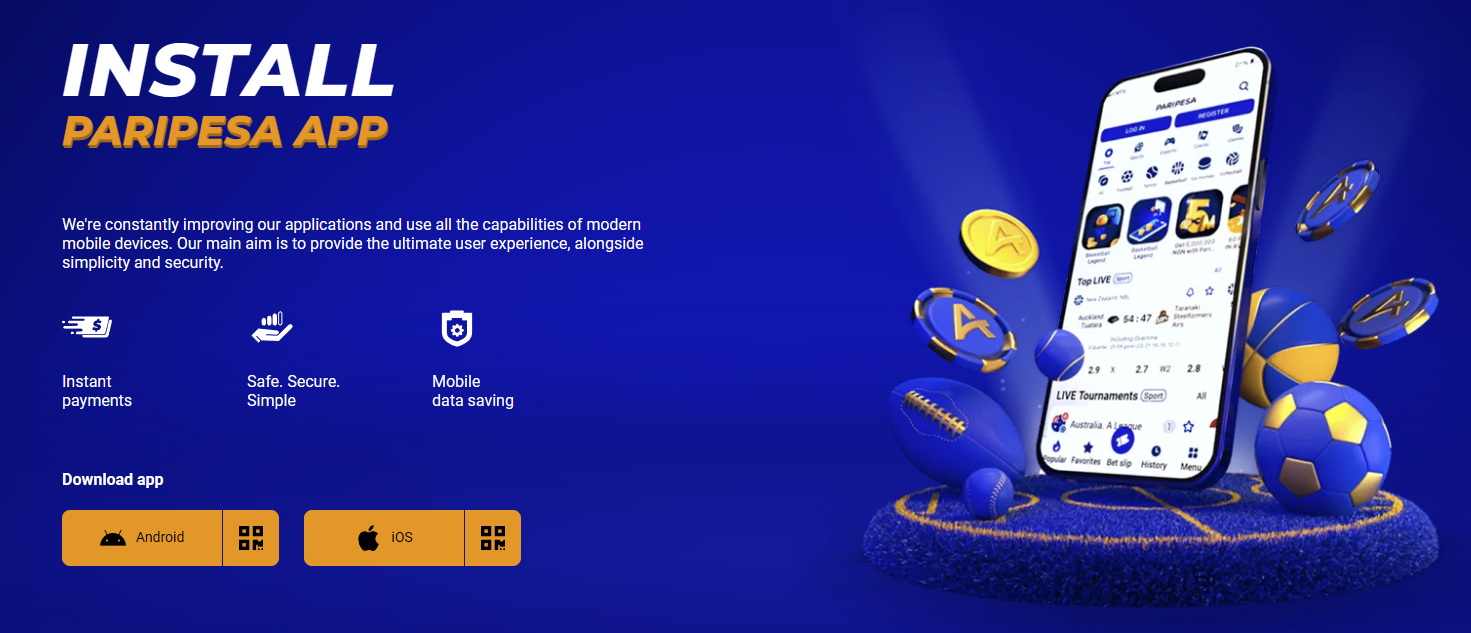
The Paripesa mobile app includes full verification functionality. The process mirrors the desktop version: navigate to your profile, select verification, and upload documents using your phone's camera or gallery. The app's camera integration includes automatic edge detection and quality checks that reduce rejection rates compared to manual uploads.
Android and iOS apps handle uploads identically. One advantage of mobile verification: you can take document photos directly in the app, which applies real-time quality validation. The app warns you if lighting is insufficient, the document is tilted, or text appears unreadable before you submit.
Push notifications alert you to verification status changes instantly. This is faster than email for most users. The app also stores your verification level and limits in the account section, accessible offline once loaded. If you primarily bet on mobile, completing verification there eliminates device switching.
Verification Timeframes and What Affects Them
Standard verification completes within 24 hours during business days. Weekends and holidays add delay — the compliance team operates on reduced schedules. First-time submissions typically process faster than re-submissions after rejection, as rejected files go to a secondary review queue.
Peak periods — major sporting events, month-end, promotional campaigns — can extend review to 48-72 hours. Paripesa doesn't publish exact staffing schedules, but user reports confirm slower turnaround during Champions League knockout stages, World Cup periods, and major tournament finals. Submit verification well before you need to withdraw during these windows.
Expedited review isn't officially offered. However, users who contact live chat with a pending withdrawal sometimes report faster processing. This appears discretionary, not guaranteed. The most reliable approach: verify early, during off-peak hours, with perfect documents on the first attempt.
Security and Data Protection During KYC
Paripesa encrypts document uploads in transit using TLS 1.2 or higher. Stored documents reside on access-controlled servers with encryption at rest. The platform's privacy policy states documents are used solely for regulatory compliance and are not shared with third parties except as legally required.
You can request document deletion after account closure, though regulatory retention periods may apply. Curacao licensing requires operators to retain KYC records for five years post-relationship. During this period, documents remain encrypted and access-logged. Paripesa doesn't use verification documents for marketing or profiling.
Two-factor authentication adds a layer of protection for verified accounts. Enable 2FA in account settings — it requires a time-based code from an authenticator app for login and sensitive actions like withdrawal requests or payment method changes. This prevents unauthorized access even if credentials are compromised.
Verification documents sit on encrypted servers with strict access controls. The five-year retention requirement comes from Curacao licensing, not Paripesa policy.
Withdrawal Restrictions Before Verification
Unverified accounts cannot withdraw any funds. The withdrawal button remains visible but displays a verification prompt when clicked. Deposits and betting work normally. This means you can build a balance, test strategies, and explore markets — but you're locked out of cashing out until KYC clears.
Some users discover this restriction only after winning a significant amount. The frustration is avoidable: verify within your first week. There's no downside to early verification, and it eliminates the "winning but can't withdraw" scenario. Bonus funds and winnings from bonuses also require verification before withdrawal, even if the bonus terms are met.
Account closure without verification is possible but forfeits any remaining balance. Paripesa's terms allow balance confiscation if KYC is refused. If you deposit, win, then refuse verification, you lose everything. This policy prevents money laundering through intentional non-compliance.
Tips for First-Time Verification Success
Prepare documents before starting. Have your passport or ID, a recent utility bill, and payment method proof ready. Check expiration dates. Ensure the address on your utility bill matches your Paripesa profile exactly — including apartment numbers, postal codes, and spelling.
Use a scanner if available. Flatbed scanners produce consistent, glare-free images at 300+ DPI. If using a phone, shoot in daylight near a window. Disable flash. Hold the phone steady, tap to focus, and capture the full document with a small border around all edges. Review the image at full zoom before uploading — if you can't read the small print, neither can the reviewer.
Submit all required documents simultaneously. Partial submissions sit in limbo until the missing pieces arrive, effectively doubling the wait time. The system doesn't begin review until the complete set is present. If you're unsure about a document, upload it anyway — extra documents don't hurt, but missing ones stall the process.
- Gather all documents before starting the upload process
- Match profile address exactly to proof-of-address document
- Use scanner or daylight phone photos — no flash, no glare
- Verify text readability at full zoom before submitting
- Upload complete document set in one session
- Enable 2FA immediately after verification approval
Verification for Specific Regions
Paripesa operates in dozens of countries with varying regulatory expectations. Indian users typically verify with Aadhaar card and PAN card combination. Nigerian users submit national ID or international passport plus utility bill. Brazilian users provide CPF and RG documents. The platform adapts document requirements to local standards while maintaining the same core verification logic.
Some regions require enhanced verification due to higher fraud risk scores. Users from certain countries may face mandatory selfie verification — holding your ID next to your face for a live photo. This adds a biometric layer that prevents stolen document usage. The requirement applies automatically based on your registered country and IP location at registration.
Cryptocurrency users in all regions generally face lighter payment verification. Since blockchain transactions are pseudonymous and irreversible, Paripesa rarely requests wallet ownership proof beyond the deposit transaction ID. This makes crypto the smoothest deposit method for verification purposes, though withdrawal limits still follow the standard tiered structure.
Scroll horizontally to see all columns
| Region | Primary ID | Address Proof | Special Requirements |
|---|---|---|---|
| India | Aadhaar + PAN | Utility bill / bank statement | PAN mandatory for tax |
| Nigeria | National ID / passport | Utility bill / bank statement | BVN may be requested |
| Brazil | CPF + RG | Utility bill / bank statement | Selfie verification common |
| Bangladesh | NID / passport | Utility bill / bank statement | Mobile banking verification |
| Kenya | National ID / passport | Utility bill / M-Pesa statement | M-Pesa screenshot accepted |
Troubleshooting Stuck Verification
If verification exceeds 72 hours during business days, contact support. Live chat is fastest — agents can see your verification queue position and escalate if stalled. Provide your user ID and mention the submission timestamp. Avoid opening multiple tickets; duplicate requests slow the process.
Sometimes verification appears complete but withdrawal still fails. This usually indicates a payment method mismatch — the withdrawal method differs from the verified deposit method. Paripesa requires withdrawal to the same method used for deposit, up to the deposited amount. Excess can go to an alternative verified method. Verify all payment methods you plan to use.
Account locks after failed verification attempts are rare but happen. Three consecutive rejections for the same issue (e.g., repeatedly uploading an expired passport) can trigger a temporary review block. Support can lift this after you provide a valid document. The block prevents system abuse, not legitimate users.
Verification and Bonus Eligibility
Welcome bonuses and ongoing promotions require verified accounts for withdrawal of bonus funds and associated winnings. You can claim and wager bonuses before verification, but the cashout remains blocked until KYC clears. This applies to deposit bonuses, free bets, cashback, and loyalty rewards equally.
Some promotions explicitly require Level 2 verification. High-value bonuses — typically those exceeding €500 equivalent — often carry this condition. Check promotion terms before opting in. If you're at Level 1 and claim a Level 2 bonus, you'll need to upgrade verification before accessing those winnings.
VIP program entry also requires full verification. The loyalty tiers track betting volume, but unverified accounts don't accumulate points toward VIP status. Once verified, past betting activity counts retroactively. This means you can bet while verification processes, and your volume applies once approved.
Bonuses let you play before verifying, but the house keeps the winnings until KYC clears. Verify first if bonus withdrawal is your goal.
Document Updates and Re-Verification
Documents expire. Passports, ID cards, and driver's licenses all have validity periods. Paripesa doesn't proactively notify you when uploaded documents approach expiration. When a document expires, your verification level may downgrade, reducing withdrawal limits. Check your document dates quarterly and re-upload renewed versions before they expire.
Address changes require updated proof of address. Move house, update your profile, upload a new utility bill or bank statement. The process takes the same review time as initial verification. During review, your previous verification level remains active — you don't lose withdrawal access while the new address processes.
Name changes (marriage, legal name change) require a full re-verification with updated primary ID and supporting legal documentation (marriage certificate, deed poll). This is the most complex update and may require support assistance. Start the process well before you need to withdraw, as manual review takes longer than automated document checks.
- Monitor document expiration dates — set calendar reminders
- Update address proof within 30 days of moving
- Name changes require legal documentation + new primary ID
- Previous verification stays active during updates
- Re-verification follows same timeline as initial KYC
Final Assessment of Paripesa KYC Process
Paripesa's KYC process is functional and typical for a Curacao-licensed operator. The tiered system balances accessibility with compliance. Most users complete Level 1 or 2 verification in under 24 hours with proper documents. The mobile app's camera integration is a genuine usability improvement over desktop-only upload flows.
Weaknesses include the lack of proactive expiration notifications, no published SLA for review times, and occasional weekend delays during major events. The platform doesn't offer expedited review for urgent withdrawals, which frustrates users who verify late. Document rejection reasons are sometimes generic — "quality insufficient" without specifics — forcing trial-and-error re-uploads.
For the average bettor, the process works fine if approached early. Verify during your first week, use a scanner or good daylight photos, submit everything at once, and you'll likely never think about KYC again. The system stays out of your way once cleared. Professional users hitting Level 3 should expect more scrutiny and longer reviews — that's regulatory reality, not Paripesa-specific friction.
Frequently Asked Questions
Can I withdraw without completing KYC on Paripesa?
No. Withdrawals are blocked until identity verification is approved. You can deposit and bet freely, but the withdrawal button will prompt you to complete KYC when clicked.
How long does Paripesa verification take?
Typically 4-24 hours on business days. Weekends, holidays, and major sporting events can extend this to 48-72 hours. Re-submissions after rejection add 12-24 hours.
What documents does Paripesa accept for identity verification?
Valid passport, national identity card, or driver's license. The document must show full name, date of birth, photo, and expiration date. Expired documents are rejected.
Do I need to verify my payment method separately?
Sometimes. Card deposits may require a photo showing first 6 and last 4 digits (CVV covered). E-wallets need a profile screenshot. Crypto deposits rarely need payment verification.
What happens if my verification documents expire?
Your verification level may downgrade, reducing withdrawal limits. Paripesa doesn't send expiration reminders. Upload renewed documents before expiry to maintain your level.
Can I use Paripesa mobile app for verification?
Yes. The Android and iOS apps support full document upload with camera integration, real-time quality checks, and push notifications for status updates.
Why was my proof of address rejected?
Common reasons: document older than 3 months, address doesn't match your Paripesa profile exactly, blurry image, or document type not accepted (e.g., mobile phone bill in some regions).
Is there a way to speed up verification?
No official expedited process exists. Best approach: submit complete, high-quality documents during business hours on weekdays, avoiding major event periods. Live chat may help if a withdrawal is pending.